Why there are Amazon links here: Brave Review is paid a commission for qualifying Amazon purchases made through the links below. Your price does not change, and using our links is entirely optional. How this works
Best Smart Lock for a First Time Buyer: 5 Picks That Keep Setup Simple
A first smart lock should be one thing above all: easy to live with. The five picks below cover the whole first-time range, from a budget keypad deadbolt to a full handle-and-lock set with voice control, so a renter, a new homeowner, or anyone replacing a worn-out keyed lock can find a match fast. Each one installs over a standard deadbolt opening and unlocks without a key. The overview table shows the differences at a glance, and detailed reviews follow.
Overview of the Picks
| Product | Key Spec | Best Use | Price Tier |
|---|---|---|---|
| Smart Locks for Front Door with Handle (Philips) | Built-in WiFi, fingerprint and voice unlock | First full front-door upgrade | Mid |
| Philips Upgraded Wi-Fi Smart Lock with Handle | Keyless entry with lever handle | Bedrooms and offices | Mid |
| Philips Wi-Fi Front Lock Set with 2 Handles | Touchscreen plus Alexa and Google voice | Voice-control households | Upper mid |
| eufy Security Smart Lock C220 | IP53 waterproof, 8-month battery | Outdoor front doors | Budget |
| Veise VE017 Fingerprint Smart Door Lock | 8-in-1 keyless entry, USB-C port | Lowest-cost first lock | Budget |
1. Smart Locks for Front Door with Handle (Philips)

Type: Keypad deadbolt with lever handle
Unlock methods: Voice, fingerprint, flexible codes, app
Connectivity: Built-in WiFi
Extras: Auto-lock, backlit keypad
Best for: Front doors
This is the most complete first-lock package in the group. It arrives as a matched deadbolt and lever handle set, so the whole front door gets replaced in one job instead of mixing old hardware with new. Fingerprint unlock suits anyone who hates digging for keys, and the backlit keypad keeps code entry readable after dark. Because WiFi is built in, remote control through the app works without a separate hub or bridge.
The pick suits a first-time buyer who wants the full front-door experience: hands-full entry, guest codes, and remote checking from the phone. It is not for anyone who only wants to swap the deadbolt and keep the existing handle. The trade-off is that a two-piece set takes longer to fit and align than a bare deadbolt.
2. Philips Upgraded Wi-Fi Smart Lock with Handle

Type: Keypad deadbolt with lever
Unlock methods: Fingerprint, keypad, app
Connectivity: Built-in WiFi
Extras: Auto-lock, keyless entry
Best for: Bedrooms, offices, front doors
This model is the flexible middle child: a deadbolt and lever combo that the manufacturer pitches for interior doors as readily as the front door. Fingerprint and keypad unlock cover the everyday cases, while the app adds remote control over WiFi without extra hardware. Auto-lock means the door secures itself instead of relying on memory.
It suits a buyer fitting several doors, or someone who wants one lock family across a bedroom, an office, and the front entry. It is not the right call for a household that needs voice assistant control, which this model does not list. The trade-off is that an interior-focused design may feel less robust than a dedicated exterior lock on a busy front door.
3. Philips Wi-Fi Front Lock Set with 2 Handles
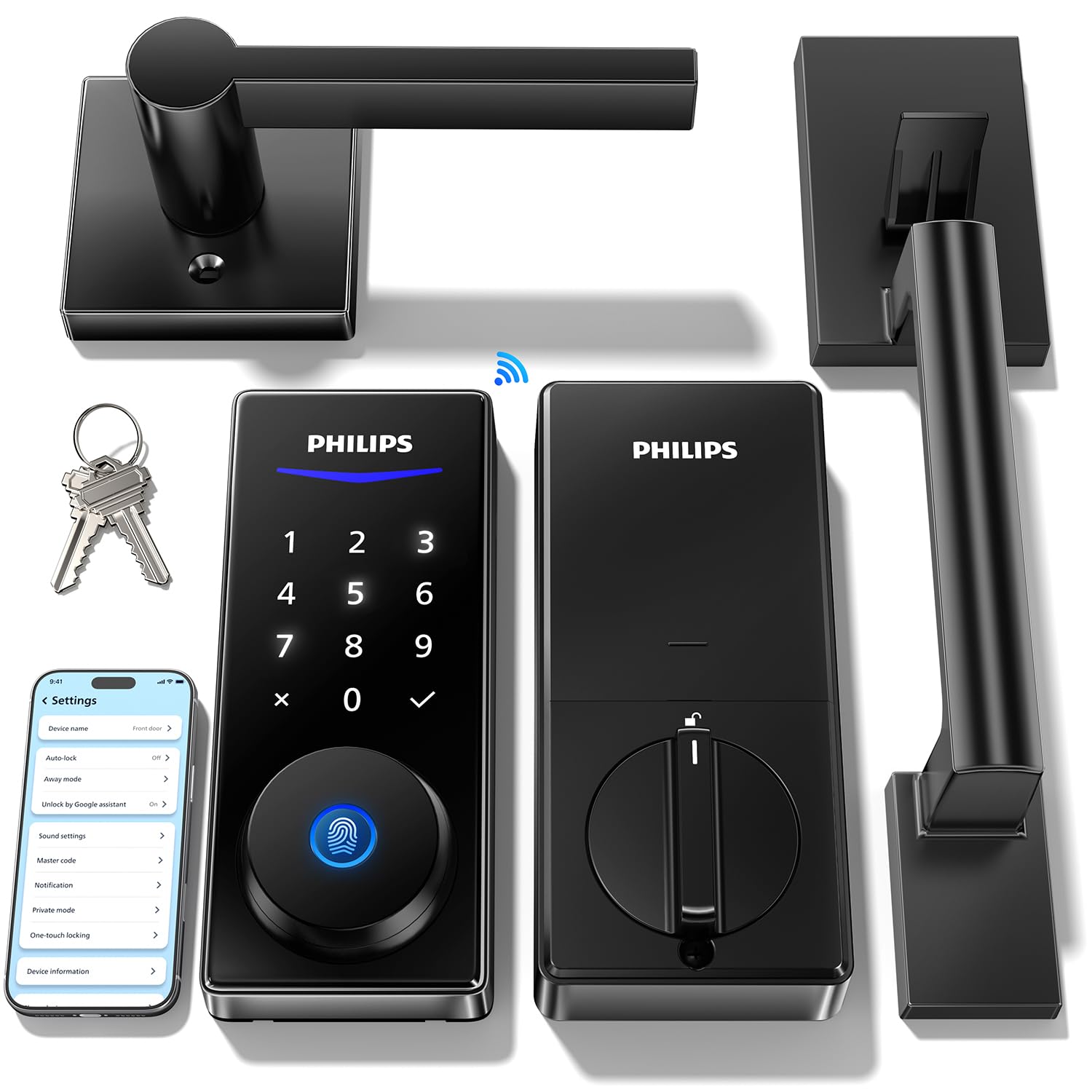
Type: Keypad deadbolt lock set with two handles
Unlock methods: Code, fingerprint, app, Alexa and Google voice
Connectivity: Built-in WiFi
Extras: Auto-lock, backlit touchscreen, remote access
Best for: Voice-control households
This is the premium pick for a first-time buyer who already lives inside a smart home. Alexa and Google voice unlock join the usual code, fingerprint, and app options, so the door opens by spoken command as well as by thumb. The set includes two handles and a backlit touchscreen, covering both sides of the door in one purchase. Built-in WiFi keeps remote access working without a bridge.
It suits a household with smart speakers that wants the door tied into existing routines, and anyone who prefers a glass touchscreen over physical buttons. It is not for a buyer on the tightest budget or someone who wants the simplest possible install. The trade-off is the highest price here, and a touchscreen adds more electronics that can wear than a plain keypad.
4. eufy Security Smart Lock C220
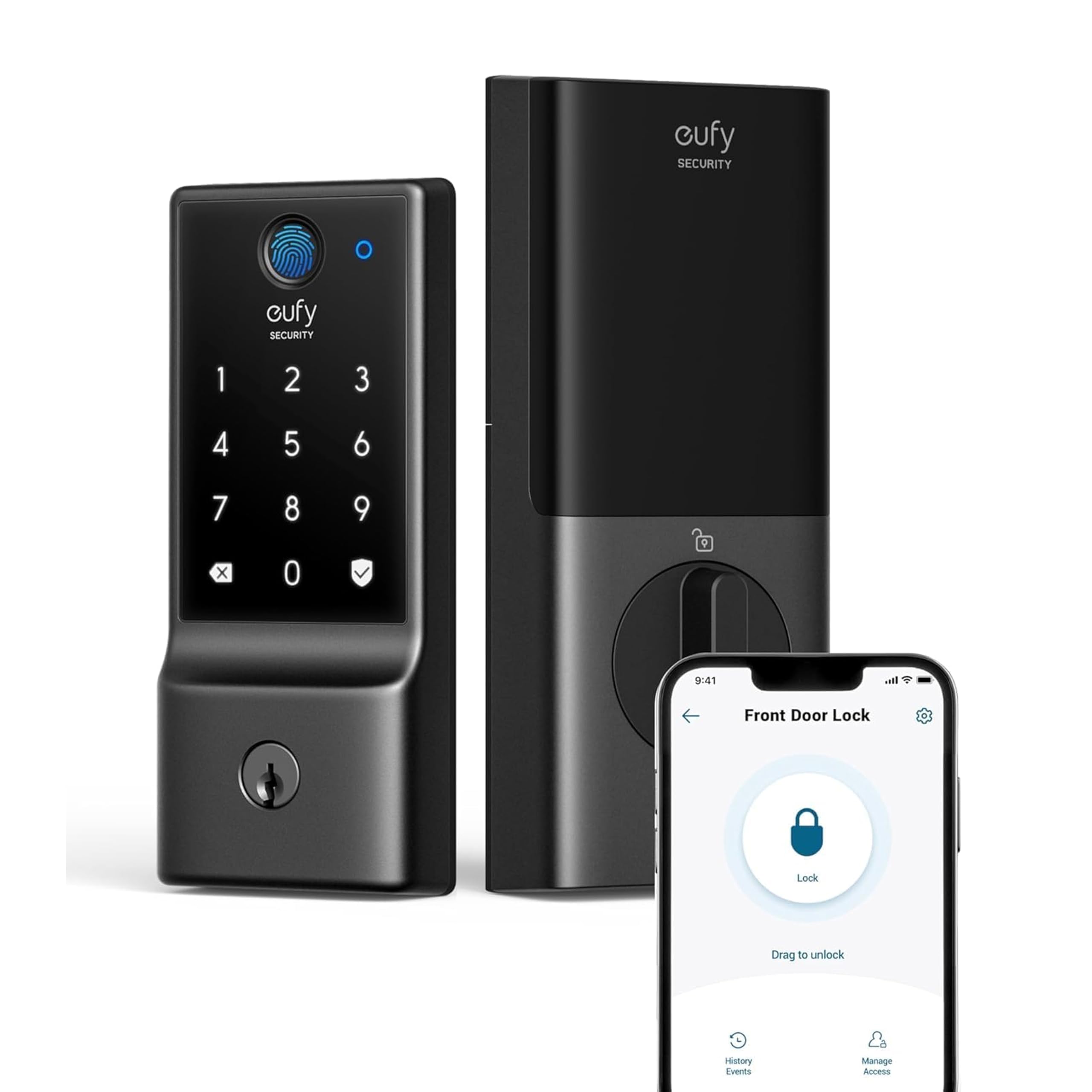
Type: Front door smart deadbolt
Unlock methods: Fingerprint, keyless entry, app
Connectivity: Built-in WiFi
Weather rating: IP53 waterproof
Build rating: BHMA Grade 3
Battery: Up to 8 months
Best for: Outdoor front doors
The C220 is the outdoor specialist of the group. An IP53 waterproof rating and a BHMA Grade 3 build rating are the two specs a first-time buyer should care about on an exposed front door, and both are stated right in the name. Fingerprint keyless entry keeps daily use quick, and built-in WiFi means app control works out of the box. The battery is rated to last up to eight months between changes.
It suits anyone whose front door takes rain, sun, or a covered porch, and buyers who want a proven lock brand without paying premium money. It is not for a buyer who wants a matching handle included, since this is a deadbolt only. The trade-off is a plain deadbolt form that leaves the existing handle and its style untouched.
5. Veise VE017 Fingerprint Smart Door Lock

Type: Electronic deadbolt for front doors
Unlock methods: 8-in-1 keyless entry, fingerprint, touchscreen keypad, app
Extras: Smart user management, auto-lock, USB-C port
Finish: Matte black
Best for: Lowest-cost first lock
The VE017 is the entry point: the least expensive way to try a smart lock and find out whether keyless living fits. The 8-in-1 label covers the familiar mix of fingerprint, touchscreen code, and app entry, and smart user management makes adding or removing codes straightforward. A USB-C port gives a simple way to power the lock if the battery runs down. The matte black finish suits modern doors.
It suits a renter, a first apartment, or a buyer testing the category before spending more. It is not for a household that needs voice assistant control or a bundled handle. The trade-off is that a budget lock trades polish and materials for price, so fit and finish will feel more basic than the premium sets here.
Before You Buy
- Compatibility: Check that the door has a standard deadbolt bore and that the existing backset matches the lock; most first-time installs go smoothly on a standard prep.
- Connectivity: Built-in WiFi means no hub, while some locks rely on a bridge; all five picks here list WiFi in the name.
- Unlock methods: Decide whether fingerprint, keypad code, app, or voice matters most; every extra method adds convenience and electronics.
- Door hardware: A deadbolt-only lock keeps the existing handle, while a set replaces the lever too; measure before ordering either.
- Weather exposure: An exposed front door needs a weather-rated lock, so check for a waterproof rating if rain hits the door directly.
- Power: Consider how the lock is charged or powered, and whether a backup port or key exists for a dead battery.
- User management: For rentals or shared homes, look for easy code adding and removing rather than a fixed set of keys.
Frequently Asked Questions
-
Is a smart lock hard to install for a first-timer?
Most smart deadbolts replace an existing deadbolt using the same door holes, so a first install is usually a screwdriver job. Handle sets take a little longer because the lever also has to be swapped. -
Does a first smart lock need WiFi?
Not strictly, but built-in WiFi adds remote control and code management from a phone. All five picks here include WiFi, which removes the need for a separate hub. -
What happens when the battery dies?
Most locks warn before the battery runs flat, and some offer a backup port or key. The Veise model lists a USB-C port for exactly this situation. -
Can a smart lock work on a rental?
Yes, if the landlord approves and the door has a standard deadbolt prep. A deadbolt-only model is the easiest to remove and restore later, and user management makes tenant code changes simple. -
Is fingerprint unlock reliable outdoors?
It works well for most people, but wet or very dry fingers can slow it down. Keeping the keypad code as a backup covers those moments. -
Which pick suits a first front door on a budget?
The Veise VE017 is the lowest-cost way in, while the eufy C220 adds weather and build ratings for a little more. Both are sensible first locks.
Bottom Line
For most first-time buyers, the Smart Locks for Front Door with Handle (Philips) is the best smart lock to start with: it bundles the deadbolt and handle, adds fingerprint and voice unlock, and needs no hub. Buyers on a tight budget should look at the Veise VE017, and anyone with an exposed front door should choose the eufy C220 for its weather rating.
