Why there are Amazon links here: Brave Review is paid a commission for qualifying Amazon purchases made through the links below. Your price does not change, and using our links is entirely optional. How this works
Best Drive Bays and Redundancy for a Home NAS: 5 Picks Compared
Drive bays and redundancy for a home NAS come down to one question: how many disks does the box hold, and what happens when one fails? This guide covers five units, from a budget two-bay starter to a four-bay machine with room for mirrored NVMe cache. It suits first-time NAS owners protecting family photos, media hoarders running a Plex server, and small teams that need a shared file vault. The overview table below puts every pick side by side, and each review explains who it fits and where it falls short.
The Picks at a Glance
| Product | Key Spec | Best Use | Price Tier |
|---|---|---|---|
| UGREEN DXP4800 Plus | 4 bays, Intel 8505, 10GbE + 2.5GbE, 2x M.2 NVMe | Heavy media and small-team storage | Premium |
| BUFFALO LinkStation 220 | 2 bays, 4TB drives included | Plug-and-play home cloud | Mid-range |
| Asustor Drivestor 2 Pro Gen2 | 2 bays, 2.5GbE, 4K Plex server | Budget media streaming | Budget |
| Synology DS225+ | 2 bays, Intel CPU, hardware transcoding | Private cloud and photo backup | Mid-range |
| Synology DS223j | 2 bays, diskless | Cheapest entry into RAID | Budget |
1. UGREEN DXP4800 Plus — Best for Heavy Media and Small Teams
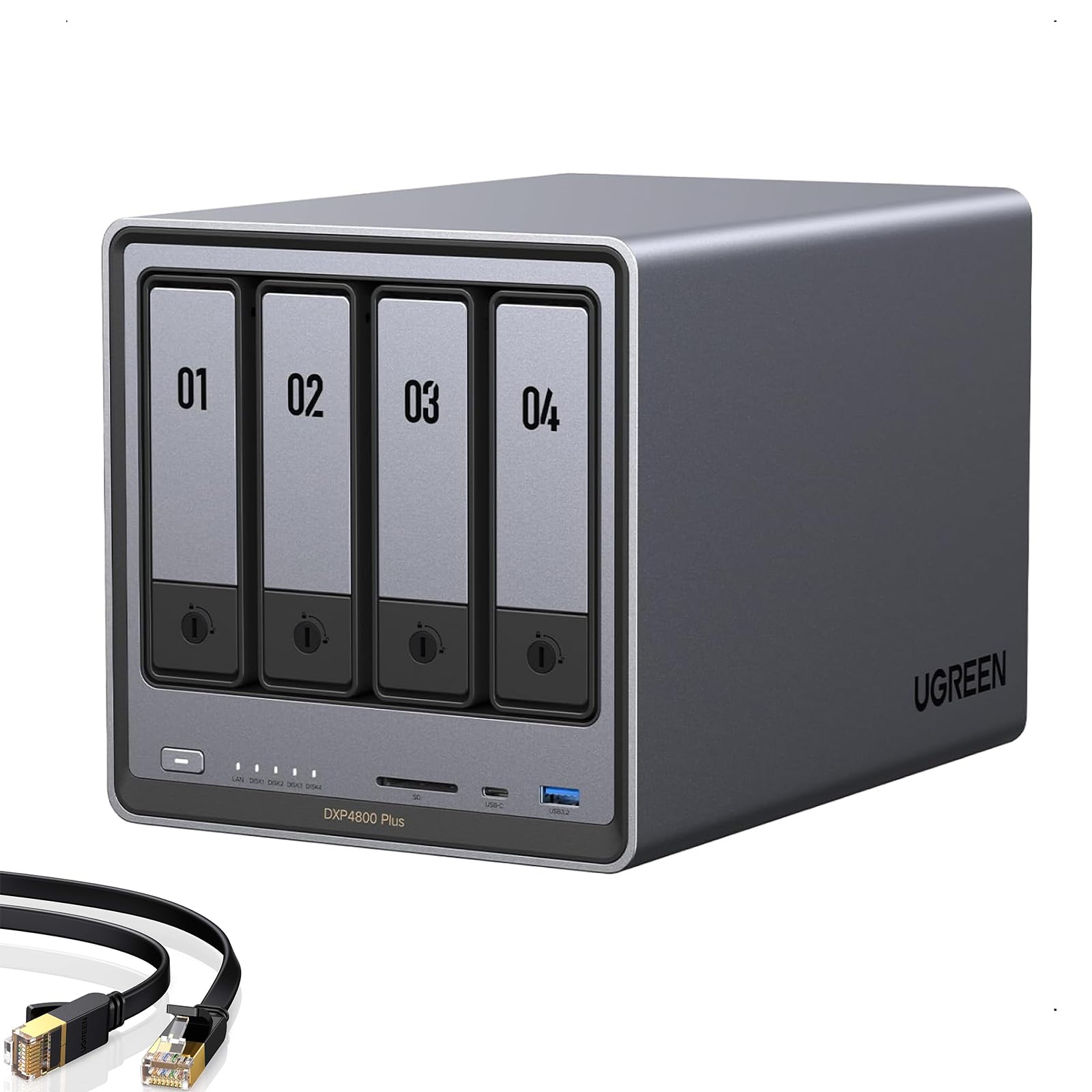
Bays: 4
CPU: Intel 8505
Memory: 8GB DDR5
Network: 10GbE and 2.5GbE
NVMe: 2x M.2 slots
Included Storage: Built-in 128G SSD
Four bays is the sweet spot for redundancy, because a mirrored pair leaves two slots free for expansion or a separate scratch volume. The Intel 8505 and hardware transcoding mean this box can serve 4K media and run a file server at the same time without choking. Two M.2 NVMe slots allow a fast cache or a dedicated app volume, and the built-in 128G SSD gives the system somewhere to live away from the data disks. The 10GbE port is the standout: it moves large files across a wired network at speeds a 2-bay unit cannot approach.
This is the pick for creators moving big video projects and for small teams that need a shared vault with headroom. Buyers who only stream a few movies will pay for networking and CPU grunt they never use.
Trade-off: The diskless, premium-priced package means the total cost climbs fast once four drives and NVMe cache are added.
Check the current price on Amazon
2. BUFFALO LinkStation 220 — Best Plug-and-Play Home Cloud

Bays: 2
Included Drives: 4TB total
Type: Network attached storage
Role: Home cloud and network storage
Setup: Drives preinstalled
The appeal here is that the drives ship inside the box, so there is no shopping list of disks, caddies and screws before the first backup. A two-bay chassis with drives included works as a home cloud for photos and documents and as a plain network share for every device on the network. It is the least intimidating route into NAS ownership for a household that wants a shared folder and a backup target, not a project.
Buyers who want a working storage device on day one and no interest in tuning hardware will get the most from it. Buyers planning to grow into virtualization, containers or heavy media transcoding should look elsewhere.
Trade-off: Preinstalled drives and a modest two-bay ceiling leave little room to expand, and the bundled disks are not chosen for high-endurance workloads.
Check the current price on Amazon
3. Asustor Drivestor 2 Pro Gen2 — Best Budget Media Server

Bays: 2
Network: 2.5GbE
Media Role: 4K Plex media server
RAID: Supported
Setup: Easy setup
Type: Diskless network attached storage
A two-bay box with a 2.5GbE port is a sensible budget combination: RAID mirroring protects the data, and the faster network keeps media playback smooth on a wired LAN. The 4K Plex server role tells the buyer what the hardware is tuned for, and easy setup keeps the software side approachable. Remote access and photo backup round out the everyday jobs a home NAS actually does.
This pick suits the household that wants a media library and a photo vault without paying premium prices. Buyers who need four bays of growth or serious transcoding headroom will outgrow it quickly.
Trade-off: Two bays cap redundancy at a single mirror, and a budget board leaves little CPU headroom for multiple simultaneous transcodes.
Check the current price on Amazon
4. Synology DS225+ — Best for Private Cloud and Photo Backup

Bays: 2
CPU: Intel, hardware transcoding
Role: Private cloud media server
Functions: Streaming, photo backup, file sharing
Type: Diskless NAS
The Intel CPU with hardware transcoding is the headline: it lets the box convert video on the fly for phones and TVs that cannot play the original file. Photo backup, file sharing and streaming are the three jobs most households actually want, and this unit is built around them. Synology’s software ecosystem is the real draw for buyers who value a polished app experience over raw hardware specs.
This is the pick for a family that wants its own private cloud with phone photo sync and a media library. Buyers chasing maximum bays per dollar or 10GbE networking will find it expensive for what the chassis offers.
Trade-off: Two bays and a diskless package mean the drive cost lands on top of an already mid-range price.
Check the current price on Amazon
5. Synology DS223j — Best Budget Entry Into RAID

Synology 2-Bay DiskStation DS223j (Diskless)
Bays: 2
Type: Diskless NAS
RAID: Supported
Role: Entry-level network storage
Drive Support: User-supplied
The lowest-cost route into a mirrored two-bay setup, this unit is about the essentials: shared folders, scheduled backups and RAID protection for the disks inside. Diskless shipping keeps the initial outlay down, and buyers can fit the drives their budget allows. It is the sensible first NAS for someone who wants redundancy without paying for transcoding or fast networking.
This pick suits a student, a small apartment or anyone backing up documents and photos on a tight budget. Buyers planning to stream 4K media or run multiple apps will hit its ceiling fast.
Trade-off: The budget internals and slower networking make it a storage box first and a media server a distant second.
Check the current price on Amazon
Before You Buy
- Bays: Two bays support a mirror; four bays allow a mirror plus expansion or a separate parity volume.
- Redundancy level: RAID 1 survives one failed disk in a two-bay unit; larger arrays need a parity scheme to match.
- Drive cost: Diskless units need drives bought separately, which can double the entry price.
- Network speed: A 2.5GbE or 10GbE port only pays off with a matching router or switch.
- Transcoding: Hardware transcoding matters for 4K streaming to devices that cannot play the native file.
- Cache and boot storage: M.2 slots and a built-in SSD keep apps and metadata off the data disks.
- Growth plan: Buying one bay more than needed today avoids a full replacement later.
Frequently Asked Questions
-
How many drive bays are needed for redundancy?
Two bays are enough for a mirror, where one disk can fail without data loss. Four bays allow a mirror plus expansion, or a parity array that survives a single failure across more disks. -
Is RAID a backup?
No. RAID protects against a disk failure, not against accidental deletion, ransomware or fire. A separate off-site or cloud copy is still required. -
Do diskless NAS units save money?
Not always. The upfront price is lower, but drives must be bought separately, and the total often lands close to a bundle with drives included. -
Does a faster network port matter for a home NAS?
It matters for large file transfers and multiple simultaneous streams. A 2.5GbE or 10GbE port only helps when the router or switch supports the same speed. -
What does hardware transcoding do?
It converts video on the fly using dedicated silicon, so phones and TVs can play formats they do not natively support without stuttering. -
Can a two-bay NAS be expanded later?
The bay count is fixed, so growth means swapping in larger drives or replacing the unit. Buyers expecting to add storage should start with four bays.
Bottom Line
For most households, the UGREEN DXP4800 Plus is the strongest long-term buy: four bays leave room for real redundancy and growth, and the 10GbE port plus NVMe slots keep it useful for years. Budget buyers who just need a mirrored pair of disks should start with the Synology DS223j and upgrade later. Either way, the UGREEN DXP4800 Plus is the pick that covers drive bays and redundancy for a home NAS without compromise.
