Why there are Amazon links here: Brave Review is paid a commission for qualifying Amazon purchases made through the links below. Your price does not change, and using our links is entirely optional. How this works
Hitron MoCA 2.5 Network Adapter vs ScreenBeam ECB7250K02: Which Coax Ethernet Kit Fits
The Hitron HTEM5 two-pack and the ScreenBeam ECB7250K02 starter kit both turn existing coax cable into a wired Ethernet backbone, and both run on the MoCA 2.5 standard. The decision comes down to what is already in the wall and how many rooms need a jack. The Hitron kit covers two rooms for less money; the ScreenBeam kit is the better-known, higher-volume option with a more complete starter package. The short answer sits in the comparison table below, and the detailed read follows it.
Hitron HTEM5 MoCA 2.5 Network Adapter (2-Pack)

Type: MoCA 2.5 network adapter, two-pack
Function: Extends a network over existing coax wiring
Not a: Modem, router, or WiFi access point
Wiring requirement: Cable TV coax (not satellite); cable and most fiber, not AT&T
Speed class: 2.5 Gbps
Price tier: Budget
Best use: Two-room coax runs on a cable or fiber install
The HTEM5 is a pure bridge. It takes an Ethernet feed from the router and pushes it onto the coax already running through the house, then converts it back to Ethernet at the far end. Nothing about it routes, filters, or broadcasts WiFi, so the home network still needs a router doing that job. Buyers who already have cable TV coax in the walls get the cleanest install, because the jacks are there and the adapters simply plug in.
The two-pack is the practical shape for most homes: one unit beside the router, one at the device that needs a wire — a desktop, a console, a TV, or a mesh node backhaul. Because both units are identical adapters rather than a designated pair, the kit scales by adding more units later. The 2.5 Gbps rating is the MoCA 2.5 ceiling, and real throughput depends on coax quality and how many splitters sit between the two ends.
Trade-off: The kit is strictly a wired bridge with no WiFi and no routing, so it only helps a household that already owns a router and has usable cable coax — satellite-only and AT&T fiber homes are out.
ScreenBeam ECB7250K02 MoCA 2.5 Starter Kit
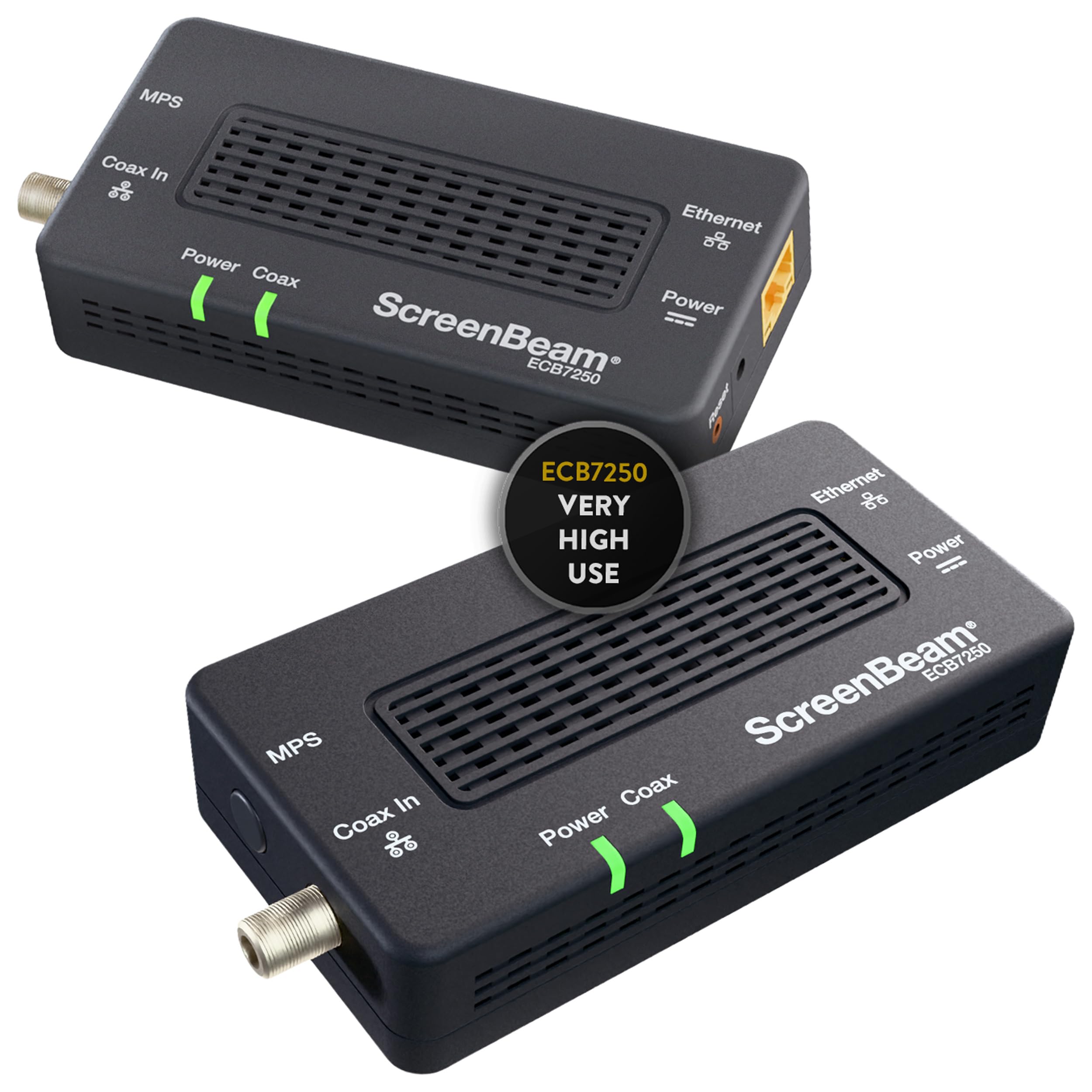
Type: Bonded MoCA 2.5 network adapter starter kit
Function: Ethernet over coax for streaming, gaming, and work from home
Speed class: Bonded MoCA 2.5, fastest tier in the lineup
Intended use: High-traffic rooms and heavy daily use
Wiring requirement: Coax cabling in the home
Price tier: Premium
Best use: A heavy-use room that needs a stable wired link
The ScreenBeam kit is the more polished package of the two, sold as a starter kit with the bonded MoCA 2.5 designation spelled out in the product name. Bonding is the difference that matters here: it uses two coax channels together rather than one, which is how the MoCA 2.5 standard reaches its top throughput. For a household pushing 4K streams, game downloads, and video calls through the same connection, that headroom is the reason to pay more.
ScreenBeam positions this kit around streaming, gaming, and work-from-home setups, which is a fair description of where a wired coax link earns its keep. The kit is aimed at buyers who want a known brand and a package that reads as complete out of the box rather than two loose adapters. It is also the higher-volume product of the pair, which matters for buyers who prefer a well-trodden path with plenty of setup guides in circulation.
Trade-off: The premium price buys bonded throughput and a starter-kit presentation, but it is still a wired-only bridge — a home without coax jacks, or one expecting a WiFi boost, gets nothing from it.
Side-by-Side Specs
| Attribute | Hitron HTEM5 | ScreenBeam ECB7250K02 |
|---|---|---|
| Standard | MoCA 2.5 | Bonded MoCA 2.5 |
| Kit contents | 2-pack of adapters | Starter kit |
| Speed class | 2.5 Gbps | Fastest bonded tier |
| Routing / WiFi | None (adapter only) | None (adapter only) |
| Wiring needed | Cable TV coax, not satellite | Coax cabling |
| Cable / fiber support | Cable and most fiber, not AT&T | Not stated in name |
| Intended use | General coax extension | Streaming, gaming, WFH |
| Price tier | Budget | Premium |
How the Two Kits Differ
The first difference is bonding. The ScreenBeam name carries the bonded MoCA 2.5 label, which is the configuration built to hit the standard’s top speed by using two channels at once. The Hitron name states MoCA 2.5 and a 2.5 Gbps figure without the bonded wording. For a single heavy user — a gaming PC pulling large updates, or a home office on constant video calls — the bonded design is the more future-proof pick on paper.
The second difference is compatibility detail. Hitron spells out its limits in the product name: cable TV wiring required, satellite coax not supported, cable and most fiber work, AT&T fiber does not. That is unusually explicit and genuinely useful, because it stops the wrong buyer before checkout. The ScreenBeam name says coax cabling and nothing more, so a buyer on satellite or an unusual fiber setup has to confirm compatibility separately.
The third difference is price positioning. The Hitron two-pack sits a tier below the ScreenBeam kit, and for a household wiring two rooms on a cable install, that gap buys the same core function. The ScreenBeam premium goes toward bonded throughput and a branded starter package. Neither is a bad trade — they answer different questions.
The fourth difference is scale. Both are two-unit kits, so both cover one router location plus one remote room. Expanding past that means buying additional adapters from the same family, and mixing brands across a single coax run is the kind of thing that causes setup headaches. Buyers planning three or four rooms should pick a family and stay in it.
Which Should You Buy?
Choose the Hitron HTEM5 if the home has cable TV coax in the walls, the goal is wiring one or two rooms without spending premium money, and the buyer wants the compatibility limits stated plainly up front. It is the value pick and the safer choice for anyone unsure whether their wiring qualifies, because the answer is printed on the box.
Choose the ScreenBeam ECB7250K02 if one room carries serious traffic — competitive gaming, 4K streaming, a full-time remote desk — and bonded MoCA 2.5 headroom is worth the premium. It also suits buyers who want a recognized starter kit with a large install base behind it.
Neither kit replaces a router, and neither adds WiFi. Both assume coax already runs where the signal needs to go.
FAQ
-
Do these adapters replace a router or modem?
No. Both are MoCA adapters that carry an existing network over coax. A router still handles routing and WiFi, and a modem still brings the internet in. -
Will the Hitron kit work on satellite coax?
No. The product name states cable TV wiring is required and satellite is not supported, so satellite-only homes need a different approach. -
Does the ScreenBeam kit work with AT&T fiber?
The product name does not state fiber compatibility either way. Buyers on AT&T should confirm with the manufacturer before ordering, since Hitron explicitly excludes AT&T on its own listing. -
What is the practical difference between MoCA 2.5 and bonded MoCA 2.5?
Bonding uses two coax channels together to reach the top throughput of the standard. Unbonded MoCA 2.5 still delivers a strong wired link but with less ceiling. -
Can more than two rooms be wired?
Yes, by adding adapters from the same product family. Mixing brands on one coax run is best avoided. -
Is a MoCA adapter better than WiFi for gaming?
A wired link removes wireless interference and jitter, which is why both kits are marketed toward gaming and streaming. The trade-off is that a coax jack has to exist in the room. -
Do these kits need professional installation?
No. They are plug-in adapters that connect to coax and Ethernet, though homes with many splitters may need a technician to tidy the coax plant for best results.
Bottom Line
For most households with cable coax already in the walls, the Hitron HTEM5 two-pack is the smarter buy: it delivers the same core function for less, and its stated compatibility limits protect against a wrong purchase. The ScreenBeam ECB7250K02 earns its premium only when one room needs bonded MoCA 2.5 headroom for heavy, constant traffic.
