Why there are Amazon links here: Brave Review is paid a commission for qualifying Amazon purchases made through the links below. Your price does not change, and using our links is entirely optional. How this works
Best Patch Panel and Keystone Jacks for Clean, Reliable Network Wiring
A patch panel and keystone jacks turn a tangle of loose Ethernet runs into a labeled, serviceable network. This guide covers five picks: two 24-port panels, a 48-port panel, a bulk box of punch-down jacks, and a set of couplers for pass-through setups. It suits home lab builders, small-office installers, and anyone wiring a house or workshop who wants structured cabling instead of a switch full of dangling cables. The overview table below sorts the picks by key spec, best use, and price tier so a decision can be made in under a minute.
The Picks at a Glance
| Product | Key Spec | Best Use | Price Tier |
|---|---|---|---|
| Cable Matters 1U 24 Port Keystone Patch Panel | 1U, 24 ports, support bar | Standard 24-port rack install | Mid |
| VCE Cat6 Keystone Jacks 25-Pack | Cat6, 90-degree punch down, 25 pieces | Bulk termination for panels and plates | Mid |
| Sokqovt CAT6 RJ45 Keystone Coupler 24-Pack | Female-to-female couplers, 24 pieces | Quick pass-through runs, no punch down | Budget |
| Jadaol 1U 24 Port Blank Patch Panel | 1U, 24 ports, wide jack compatibility | Mixed media: HDMI, coax, fiber, audio | Budget |
| Cable Matters 2U 48 Port Keystone Patch Panel | 2U, 48 ports, support bar | High-density racks and full-home wiring | Premium |
1. Cable Matters 1U 24 Port Keystone Patch Panel

Format: 1U, 19-inch rackmount or wall mount
Ports: 24 keystone openings
Cable Management: Support bar included
Color: Black
Mounting: Rack or wall
The panel is a steel 1U frame with 24 keystone cutouts, so it accepts standard snap-in jacks and couplers rather than hard-wired ports. A support bar at the rear takes the strain off terminated cables, which matters in a rack where gravity pulls on every run. The 19-inch width fits standard racks and can also be screwed to a wall or backboard. It is the pick for a clean 24-port termination in a home rack or small wiring closet.
This panel earns its place because it is the straightforward middle ground: enough ports for a full floor of drops, with the strain relief and mounting flexibility that cheap blanks often skip. Buyers building a first structured-cabling setup will find it forgiving. The caution is density — 24 ports fill quickly in a whole-house install, and the support bar adds a little depth behind the panel that tight wall enclosures may not accommodate.
Trade-off: Twenty-four ports run out fast in a full-home or multi-room office install, so plan a second panel before committing.
2. VCE Cat6 Keystone Jacks 25-Pack
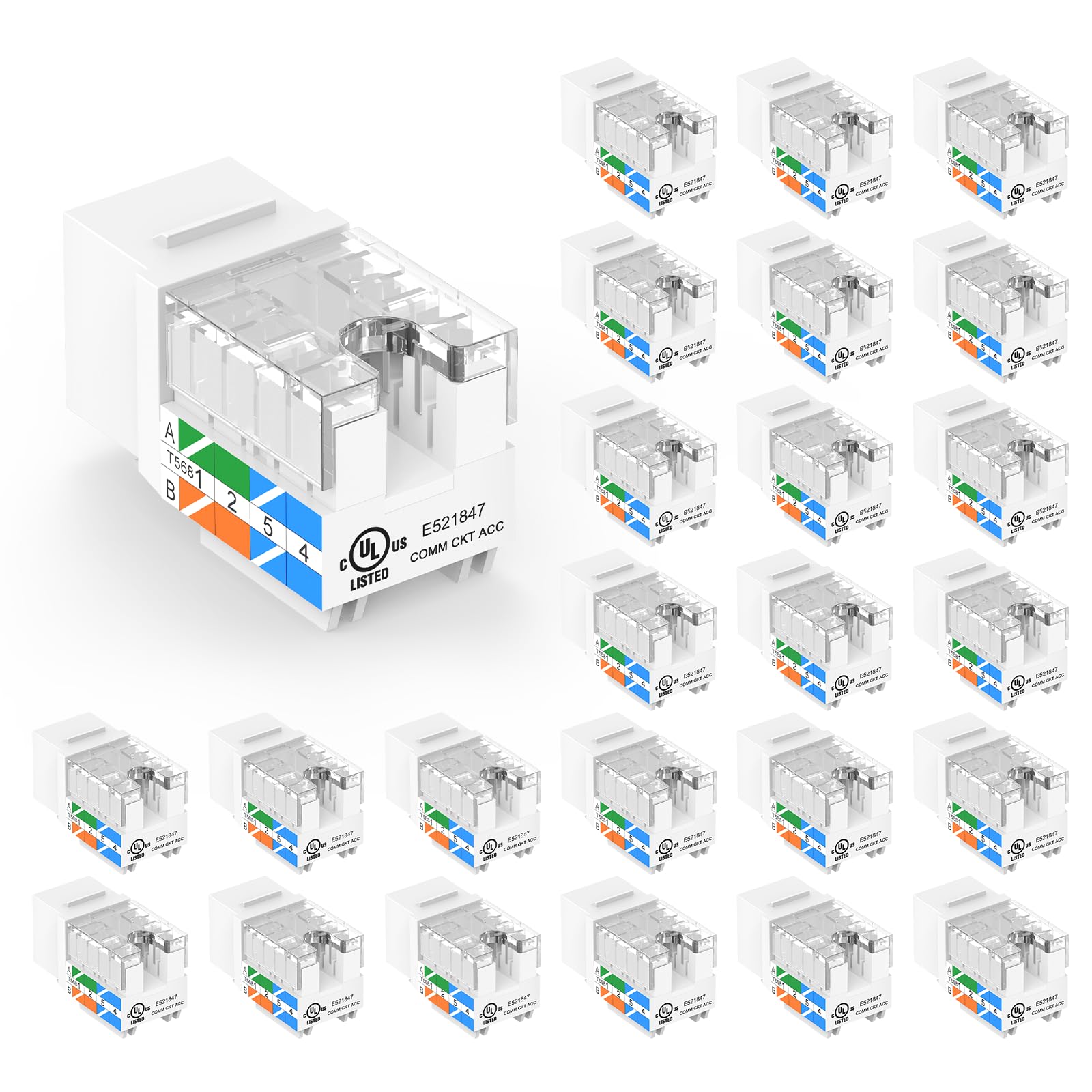
Category: Cat6 keystone jack
Termination: 90-degree punch down
Quantity: 25-pack
Speed Rating: 10Gbps
Color: White
Compatibility: Patch panels and wall plates
These are slim-profile punch-down jacks rated for Cat6 and 10Gbps, sold in a 25-pack that covers a 24-port panel with one spare. The 90-degree punch-down orientation keeps the termination block accessible from behind the panel, which speeds up wiring in tight racks. Slim bodies mean they sit flush in wall plates without bulging. The white color suits residential and office wall plates where appearance counts.
The pack suits anyone terminating a 24-port panel and matching wall plates in the same job — one box covers both ends of most runs. The UL listing is a genuine plus for installers who need documented components. The drawback is the punch-down requirement: these need a punch-down tool and some patience, and a first-timer will ruin a jack or two learning the technique. Buyers wanting tool-free work should look at couplers instead.
Trade-off: Punch-down termination demands a proper tool and practice, and a botched jack is scrap rather than reusable.
3. Sokqovt CAT6 RJ45 Keystone Coupler 24-Pack

Category: Keystone coupler
Type: Female-to-female RJ45
Quantity: 24-pack
Speed Rating: Cat6
Color: Black
Compatibility: Wall plates and patch panels
These are pass-through couplers: pre-terminated Ethernet cables plug into both sides, with no punch down involved. A 24-pack fills a panel or a bank of wall plates in one purchase. The female-to-female design makes them useful for extending runs, joining two cables at a wall plate, or populating a panel when the cabling is already terminated with RJ45 plugs. Black bodies suit darker panels and racks.
The couplers are the fastest route to a working panel for anyone who already has plug-ended cables and no interest in learning punch down. They also make reconfiguration trivial — a run can be moved by swapping a cable rather than re-terminating. The caution is signal integrity: every coupler adds a connection point, and a chain of them degrades performance compared with a continuous punch-down run, so they suit short patch connections better than long backbone links.
Trade-off: Each coupler introduces an extra mated connection, which costs some signal margin versus a direct punch-down termination.
4. Jadaol 1U 24 Port Blank Patch Panel
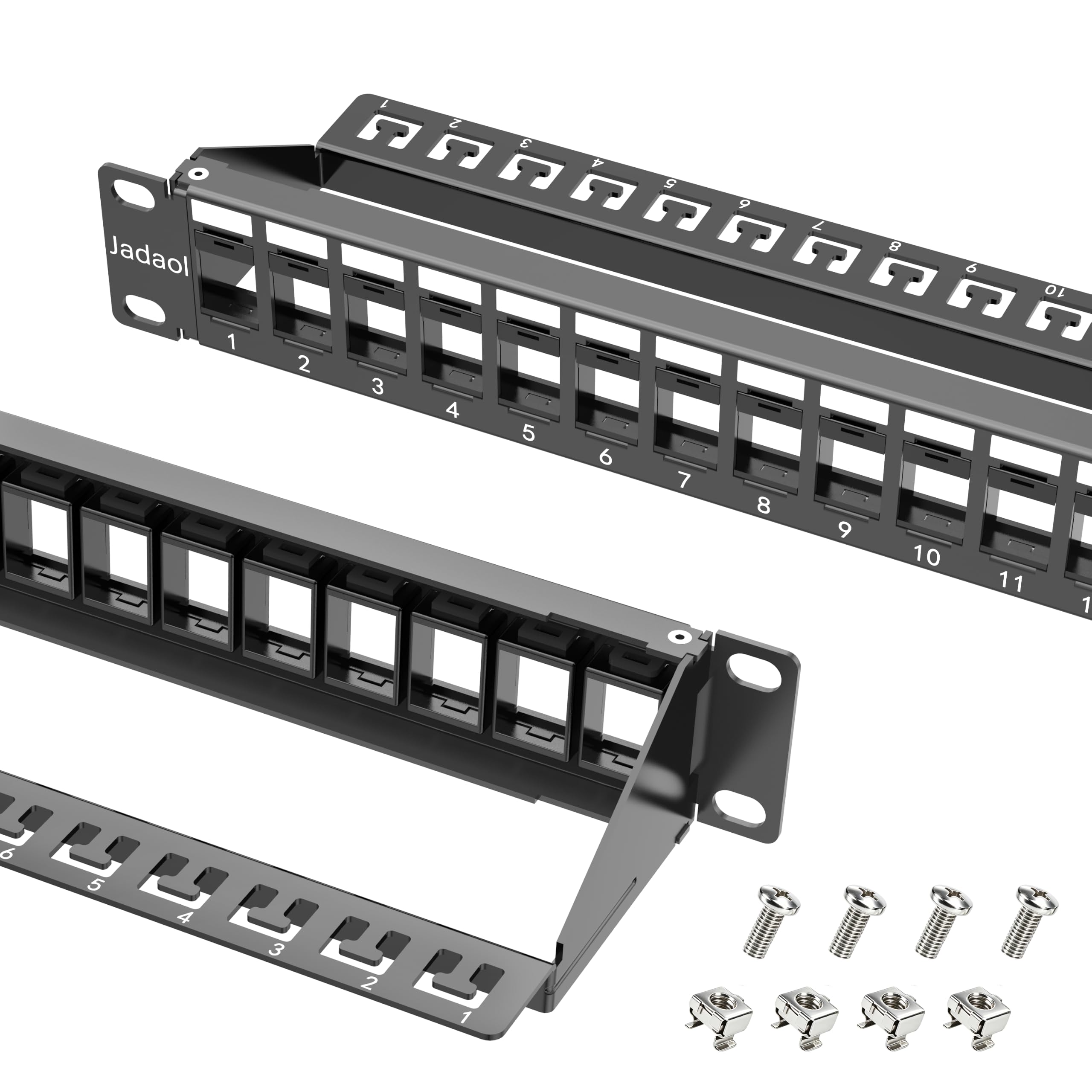
Category: Blank keystone patch panel
Format: 1U, 19-inch rackmount or wall mount
Ports: 24 keystone openings
Speed Rating: 10Gbps
Extras: Cable management and back bar
Compatibility: Large keystone jacks and couplers, including audio, HDMI, coax, and fiber
This blank panel is built around wide keystone openings that accept oversized jacks and couplers — the kind used for HDMI, coax, fiber, and audio — not just RJ45. The 1U steel frame mounts in a rack or on a wall, and the included cable management and back bar keep runs tidy and supported. It is aimed at mixed-media installations where one panel has to carry more than Ethernet.
The panel earns its place for versatility: a single 1U slot can hold network, video, and audio connections, which is useful in a media closet or a home theater rack. The back bar helps with heavier cables that would otherwise sag. The caution is fit — the wide openings that make it flexible can leave standard slim RJ45 jacks sitting loosely, so buyers should match jack style to the panel rather than assuming a universal fit.
Trade-off: The oversized openings that accept HDMI and coax jacks can leave slim RJ45 keystones with a less snug fit.
5. Cable Matters 2U 48 Port Keystone Patch Panel

Category: Keystone patch panel
Format: 2U, 19-inch rackmount or wall mount
Ports: 48 keystone openings
Cable Management: Support bar included
Mounting: Rack or wall
This is the high-density version of the 1U panel: a 2U steel frame with 48 keystone openings and a rear support bar for strain relief. It takes the same snap-in jacks and couplers, so it can be populated gradually as runs are added. The 19-inch width fits standard racks, and wall mounting is an option for larger backboards. It suits whole-home wiring and small server rooms where 24 ports are not enough.
The panel is the pick for installers who know the port count will grow — 48 openings absorb a full house of drops plus room for expansion, and the support bar keeps a dense bundle of cables from stressing the terminations. The caution is space and cost: 2U takes twice the rack height of a 1U panel, and the higher price only makes sense when the extra ports will actually be used.
Trade-off: Two rack units and a higher price are wasted on a small install that will never fill 48 ports.
Before You Buy
- Port count: Count every drop plus at least a few spare openings; a 24-port panel is a common starting point, while 48 ports suits whole-home wiring.
- Termination style: Punch-down jacks need a punch-down tool and reward clean technique; couplers need no tools but add a connection point per run.
- Rack space: A 1U panel fits a single rack unit, while a 2U panel doubles the height and suits denser installs.
- Jack compatibility: Standard keystone cutouts take slim RJ45 jacks, but mixed-media panels with wide openings are needed for HDMI, coax, or fiber.
- Mounting: All five picks support 19-inch rack or wall mounting, so check that the chosen spot has clearance for cables behind the panel.
- Cable management: A support or back bar takes strain off terminations and is worth having on any panel carrying more than a few runs.
- Speed rating: Cat6 jacks and couplers rated for 10Gbps keep the panel from becoming the bottleneck in a modern network.
Frequently Asked Questions
-
What is the difference between a patch panel and keystone jacks?
The panel is the mounting frame with cutouts; keystone jacks are the snap-in connectors that populate it. The panel provides structure and cable management, while the jacks do the actual termination. -
Do keystone jacks need a punch-down tool?
Punch-down jacks do, and the VCE 25-pack is that type. Couplers such as the Sokqovt set need no tool at all because cables plug in on both sides. -
Can a keystone panel hold HDMI or coax connections?
Only if the openings are sized for them. The Jadaol panel is built for large keystone jacks and couplers, including audio, HDMI, coax, and fiber, while standard panels are aimed at RJ45. -
How many ports should a patch panel have?
Count the planned drops and add spares. A 24-port panel covers a typical floor or small office; a 48-port 2U panel suits a full house or server room with room to grow. -
Are couplers as good as punch-down jacks?
Couplers are faster and reconfigurable but add a mated connection per run. For short patch connections that is usually fine; for long backbone links, a continuous punch-down termination preserves more signal margin. -
Can these panels be wall mounted instead of rack mounted?
Yes. Every panel in this guide is listed as 19-inch rackmount or wall mount, so it can be screwed to a backboard or wall where no rack exists.
Bottom Line
For most buyers, the Cable Matters 1U 24 Port Keystone Patch Panel is the safest starting point: standard keystone cutouts, a support bar for strain relief, and both rack and wall mounting at a mid-tier price. Pair it with the VCE Cat6 jack 25-pack for punch-down work or the Sokqovt couplers for a tool-free build, and step up to the 48-port panel only when the drop count truly demands it. Check the current price on Amazon before ordering.
