Why there are Amazon links here: Brave Review is paid a commission for qualifying Amazon purchases made through the links below. Your price does not change, and using our links is entirely optional. How this works
Philips Hue Smart Dimmer Switch vs Luna Light Bulb Security Camera: Control vs Watch
These two products solve completely different problems, so the decision comes down to what a home actually lacks. The Philips Hue Smart Dimmer Switch is a lighting control accessory that needs an existing Hue setup, while the Luna Light Bulb Security Camera is a standalone outdoor camera built into a light bulb. A reader shopping for one should confirm they are not accidentally buying the other, then follow the section that matches the job.
Philips Hue Smart Dimmer Switch

Type: Smart dimmer switch remote
Compatibility: Philips Hue lights
Requires: Hue Bridge
Installation: No-wire, wall-mountable
Pack Size: 1-pack
Color: White
The Hue dimmer is a wall-mounted remote, not a wired switch. It sticks to a wall or sits in a dock, and it sends commands to Hue bulbs through the Bridge rather than interrupting the electrical circuit. That means it can be placed anywhere a hand reaches, including spots where running a cable would be impossible.
The catch is the Bridge requirement. A household with no Hue Bridge cannot use this switch at all, and the bulbs themselves are a separate purchase. Buyers already inside the Hue ecosystem get an intuitive physical control that works without pulling out a phone; buyers outside it should price the whole system before committing.
Trade-off: The switch controls nothing on its own, so it only makes sense for homes that already run Hue lights and a Bridge.
Check the current price on Amazon
Luna Light Bulb Security Camera
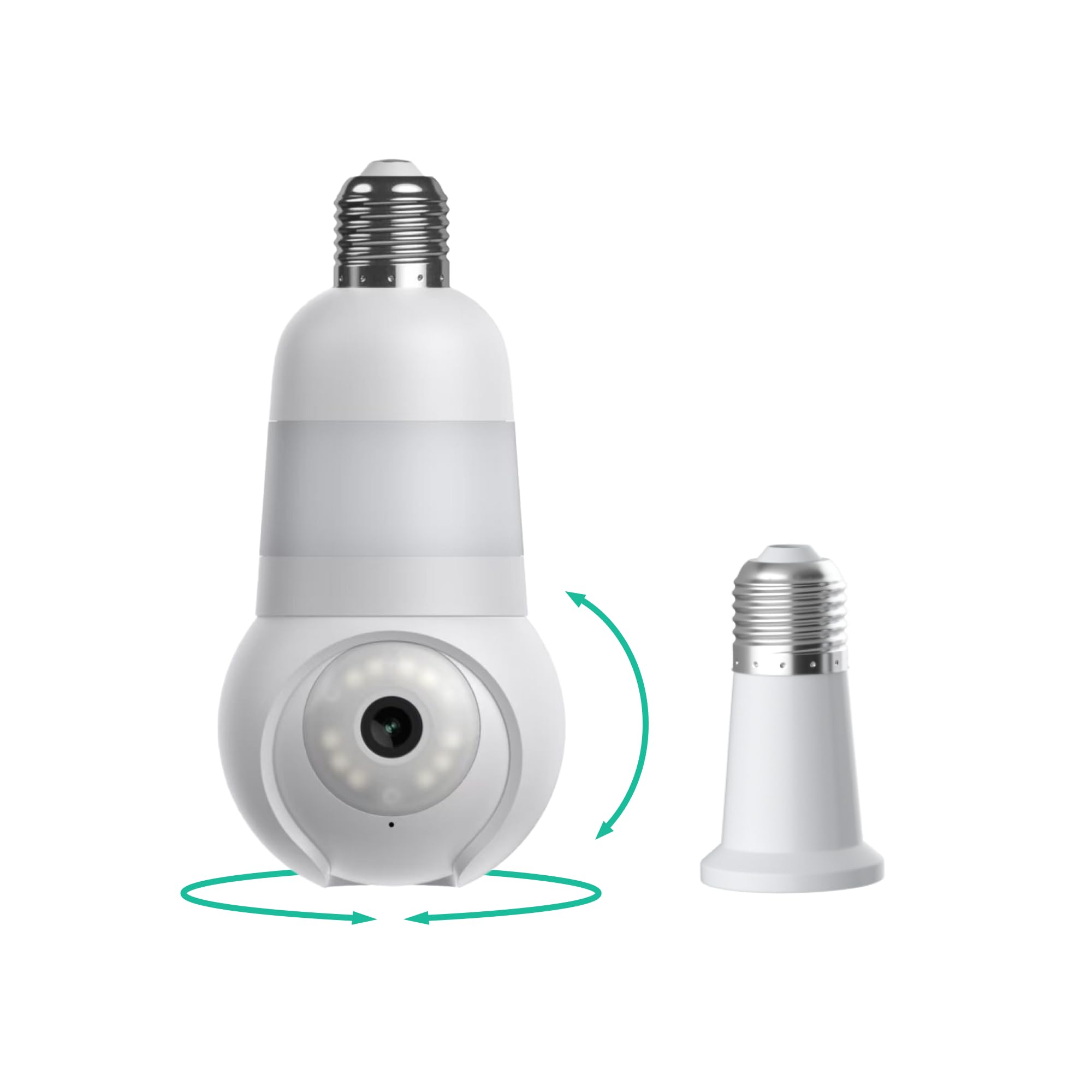
Type: Light bulb security camera
Resolution: 2K
Coverage: 360° pan and tilt
Night Vision: Color, with spotlight
Connectivity: 2.4 and 5 GHz Wi-Fi
Placement: Outdoor and indoor
Compatibility Note: Not for Verizon cellular Wi-Fi 6 routers
The Luna camera screws into a standard light socket and turns that fixture into a surveillance point. Because it pans and tilts a full 360 degrees, one unit can sweep a porch, driveway or side yard without a second camera. The 2K sensor and color night vision with a built-in spotlight are the headline features at this price tier.
Setup depends on the home network. It works on both 2.4 and 5 GHz Wi-Fi, which is more flexible than many budget cameras, but the listing explicitly excludes Verizon cellular Wi-Fi 6 routers. A buyer on that service should confirm compatibility before ordering, since a bulb camera with no working connection is a dead fixture.
Trade-off: A socket-mounted camera inherits the limits of the socket — placement is fixed to where a light hangs, and the unit is only as reliable as the Wi-Fi reaching that spot.
Check the current price on Amazon
Side-by-Side Comparison
| Feature | Philips Hue Smart Dimmer Switch | Luna Light Bulb Security Camera |
|---|---|---|
| Primary Job | Control Hue lights | Watch and record an area |
| Power Source | Battery remote, no wiring | Light socket |
| Installation | No-wire wall mount | Screw into fixture |
| Hub Required | Yes, Hue Bridge | No |
| Resolution | Not applicable | 2K |
| Field of View | Not applicable | 360° pan and tilt |
| Night Vision | Not applicable | Color, with spotlight |
| Network | Hue Bridge connection | 2.4 and 5 GHz Wi-Fi |
| Indoor/Outdoor | Indoor wall control | Both |
| Price Tier | Budget accessory | Budget camera |
What Actually Separates Them
The first dimension is dependency. The Hue switch is an accessory that assumes a household already owns Hue bulbs and a Bridge; without those, it does nothing. The Luna camera is a self-contained device that only needs a socket and Wi-Fi. On this dimension the camera wins for a general buyer starting from zero, and the switch wins only for someone already invested in Hue.
The second dimension is the nature of the job. One product changes how lights behave; the other observes a space. Dimming a lamp for dinner and monitoring a back door are not competing needs, which is why the keyword matchup is slightly odd. A reader who wants convenience lighting should not buy a camera, and a reader who wants security should not buy a dimmer.
The third dimension is placement flexibility. The Hue remote can go almost anywhere a hand reaches because it needs no wiring. The camera is bound to a light socket, which limits where it can watch. On mounting freedom the switch is clearly more adaptable, though that freedom only matters inside a Hue home.
The fourth dimension is installation risk. The Hue switch is a no-wire job that most people can finish in minutes. The camera is also tool-free, but it depends on Wi-Fi strength at the fixture and on router compatibility. On predictability of setup, the switch is the safer bet.
The fifth dimension is price tier. Both sit in the budget bracket, but they are not comparable purchases: the switch is a small add-on, while the camera is a complete device at a similar outlay. Buyers comparing raw value should note that the camera delivers far more hardware for the money, because it is a whole product rather than a control accessory.
Which Should You Buy?
Choose the Philips Hue Smart Dimmer Switch if the home already runs Hue bulbs and a Bridge, and the goal is tactile control of lighting without opening an app. It suits bedrooms, hallways and rental-friendly walls where wiring is off the table.
Choose the Luna Light Bulb Security Camera if the goal is actually security — a porch, driveway or yard that needs eyes on it, with color night vision and pan-tilt coverage from a single socket. It suits renters and homeowners who want a camera without drilling or running cable.
Neither product is right for a buyer who has no Hue system and no light fixture to spare. The switch is not for anyone outside the Hue ecosystem, and the camera is not for homes on the excluded Verizon cellular Wi-Fi 6 routers or for spots with weak Wi-Fi.
FAQ
-
Does the Philips Hue Smart Dimmer Switch work without a Hue Bridge?
No. The Bridge is required, and Hue bulbs are a separate purchase, so the total cost is higher than the switch alone. -
Can the Luna Light Bulb Security Camera work indoors and outdoors?
Yes. The listing describes it as suitable for both, and the socket mounting suits porches as readily as garages or hallways. -
Does the Luna camera need a subscription?
The listing does not state a plan requirement, but buyers should check the Amazon page for current storage and cloud options before ordering. -
Will the Hue dimmer control non-Hue bulbs?
No. It is built for Hue lights and communicates through the Hue Bridge. -
Is the Luna camera compatible with any router?
It supports 2.4 and 5 GHz Wi-Fi but is explicitly not for Verizon cellular Wi-Fi 6 routers. -
Can the Hue switch be mounted without drilling?
Yes. It is a no-wire remote that mounts to a wall or sits in its dock, which suits rentals. -
Which one is better for a renter?
Both suit renters, but for different reasons: the switch avoids wiring, and the camera avoids drilling by using an existing socket.
Bottom Line
These products are not substitutes, and the honest answer is that the Luna Light Bulb Security Camera serves a broader audience because it works standalone and delivers a complete security device at a budget price. The Philips Hue Smart Dimmer Switch remains the better pick for an established Hue household that wants a physical dimmer on the wall. Buyers should match the product to the job rather than the price tag.
