Why there are Amazon links here: Brave Review is paid a commission for qualifying Amazon purchases made through the links below. Your price does not change, and using our links is entirely optional. How this works
Best PoE Powered Tablet Setup for Smart Home Control
A PoE powered tablet setup replaces the pile of apps and switches on the wall with one always-on touchscreen that draws power and data from a single Ethernet cable. The five picks below cover three buyer profiles: the DIY homeowner running Home Assistant, the installer wiring a new build, and the Apple household that wants a flush iPad mount rather than a dedicated Android panel.
The overview table below lets a reader match a pick to a project in under a minute. Each review then explains what the hardware is for, who it suits, and where the trade-off sits.
Overview of the Picks
| Product | Key Spec | Best Use | Price Tier |
|---|---|---|---|
| MQTT KIOSK 10.1" Android 14 PoE Tablet | 4GB RAM, 64GB ROM, proximity sensor | Budget-friendly no-camera wall panel | Mid |
| 10.1" POE Smart Home Touch Panel | WiFi 6E, RS232, RS485, 86 box included | Wired automation with legacy device control | Upper mid |
| Dashboard Panel 10.1" Android 14 PoE Tablet | 8-core CPU, built-in MQTT, camera | Fast dashboards with video features | Mid |
| 10.1" RK3568 Android 11 PoE Monitor | RJ45 PoE, white or black finish | Simple, low-cost wall display | Budget |
| Magnetic PoE Wall Mount Dock for iPad | PoE splitter, portrait and landscape | Apple households mounting an existing iPad | Budget (dock only) |
1. MQTT KIOSK 10.1" Android 14 POE Tablet
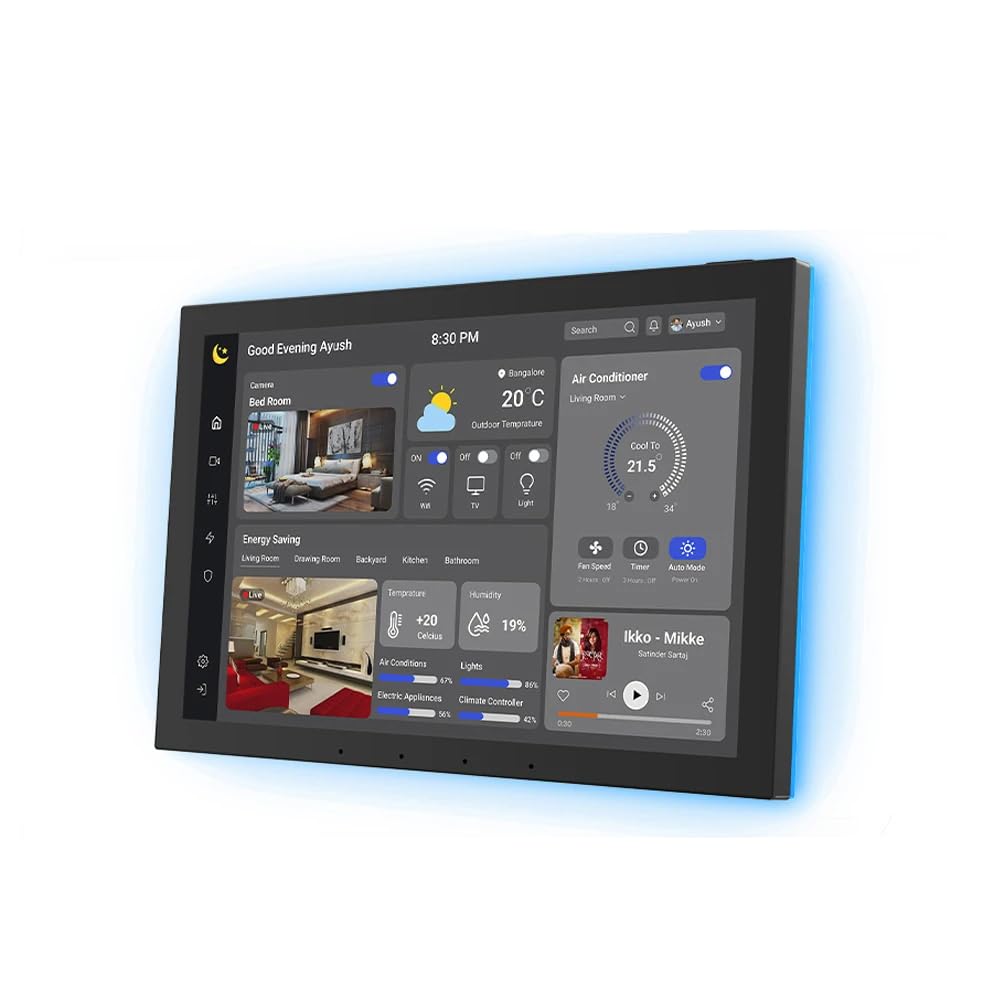
Display: 10.1 inch touchscreen
Memory: 4GB RAM, 64GB ROM
Operating System: Android 14
Power: PoE
Sensors: Proximity sensor
Camera: None
This panel is built for wall duty: a black bezel, a 10.1 inch touchscreen, and Android 14 with 4GB of RAM behind it. The proximity sensor wakes the display as a hand approaches, so the screen can stay dark and save power between taps. The absence of a camera is the point — it suits rooms where a lens on the wall would be unwelcome. MQTT and kiosk support point to Home Assistant or similar dashboards running full-screen.
The pick earns its place on price and simplicity. Buyers who want a clean control surface without paying for extras should start here. The trade-off: no camera and no mention of legacy serial ports, so anyone needing RS232 or RS485 for older equipment should look at the next pick instead.
2. 10.1" POE Smart Home Touch Panel with Proximity Sensor
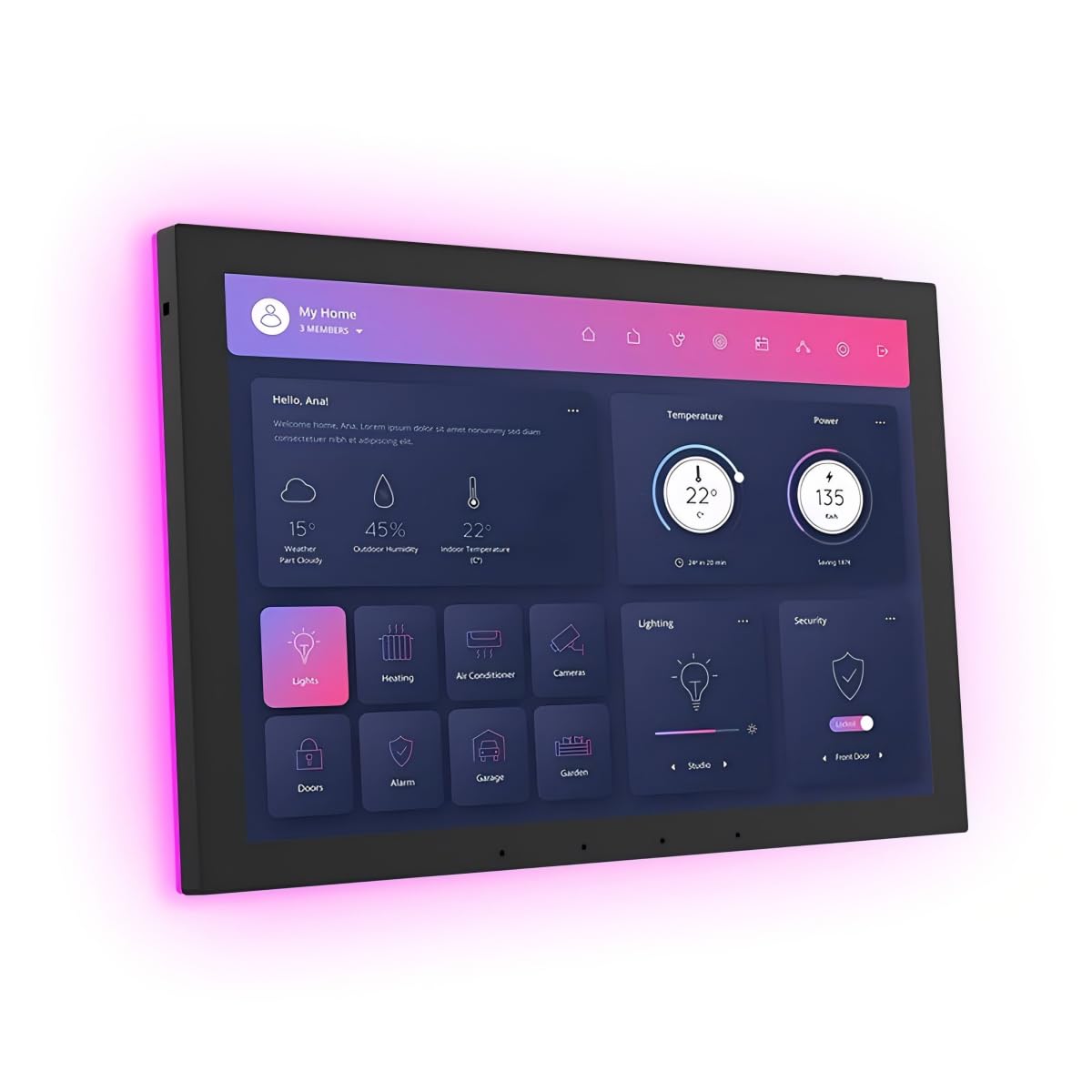
Display: 10.1 inch touchscreen
Memory: 4GB RAM, 64GB storage
Operating System: Android 14
Connectivity: WiFi 6E, RS232, RS485
Mounting: 86 box included
Camera: None
This is the most capable panel in the group on paper. The RS232 and RS485 ports let it talk to older controllers, projectors, and HVAC gear that newer panels ignore, while WiFi 6E covers wireless devices alongside the PoE run. The included 86 box means the wall cutout is a known quantity before installation starts. A proximity sensor and LED light strip round out the feature set.
It suits installers and homeowners with mixed-generation equipment — the buyer who still has a serial-controlled device in the rack. The trade-off: the extra ports and radios push this to the top of the price range, so a simple Home Assistant dashboard may not justify the spend.
3. Dashboard Panel 10.1" Android 14 PoE Tablet

Display: 10.1 inch touchscreen
Processor: 8-core CPU
Memory: 4GB RAM
Operating System: Android 14
Camera: Included
Color: White
The 8-core processor is the headline here, and it matters for buyers running animated dashboards, camera streams, or multiple widgets at once. Built-in MQTT and kiosk mode make it a natural Home Assistant front end, and the included camera adds doorbell or intercom duty to the list. The white finish suits light-colored hallways and kitchens better than the black panels.
It fits the buyer who wants a responsive wall screen and can use the camera. The trade-off: the camera is a privacy consideration in bedrooms and entryways, and the white shell shows smudges more readily than a dark bezel.
4. 10.1" RK3568 Android 11 PoE Monitor

Display: 10.1 inch touchscreen
Processor: RK3568
Operating System: Android 11
Power: PoE via RJ45 port
Color: White (black also offered)
This is the budget entry: a 10.1 inch Android 11 panel with an RJ45 port for PoE power and a straightforward touchscreen. It is the lowest-cost way into a wired wall display, and the white or black finish covers both common wall colors. The RK3568 chip handles basic dashboards and single-app kiosk duty without trouble.
It suits the buyer testing a PoE setup for the first time, or a secondary room that only needs a simple control surface. The trade-off: Android 11 is older than the Android 14 on the other panels, so long-term app support is the weaker bet here.
5. Magnetic PoE Wall Mount Charging Dock for iPad
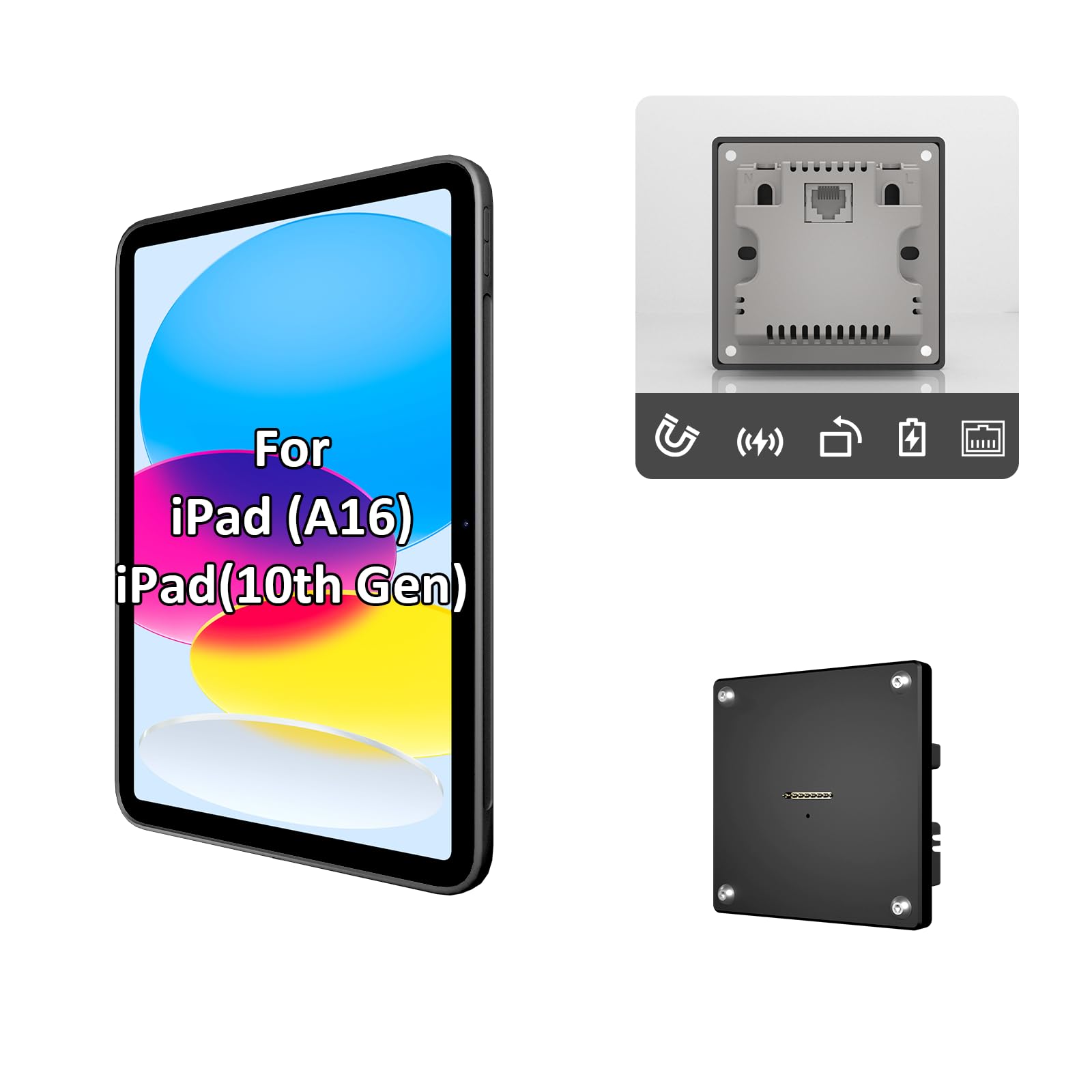
Compatibility: iPad 10th and 11th generation
Mounting: In-wall flush
Power: PoE splitter included
Orientation: Portrait and landscape
Color: Black
This is the Apple route: a flush in-wall dock that holds an iPad 10th or 11th generation tablet and feeds it power over Ethernet through the included splitter. The magnetic mount supports portrait and landscape, so the same dock works for a dashboard or a media controller. Wired power means no battery anxiety and no charger dangling from the wall.
It suits households already invested in iPad hardware that want a PoE powered tablet setup without buying a second screen. The trade-off: it is a dock only — the iPad is bought separately, and older or Pro iPad models will not fit this mount.
Before You Buy
- Power standard: Confirm the PoE switch or injector supplies enough power for the panel; a splitter is included with the iPad dock but not with the Android panels.
- Mounting depth: The in-wall models need a wall cavity or an 86 box behind the screen, so check the cavity before ordering.
- Compatibility: Match the panel to the automation platform — MQTT and kiosk support matter for Home Assistant, while RS232 and RS485 matter for legacy gear.
- Camera: Decide whether a lens on the wall is acceptable in the room; two picks here ship without one.
- Operating system: Newer Android versions tend to hold app support longer, which favors the Android 14 panels over the Android 11 model.
- Tablet ownership: The iPad dock requires an existing compatible iPad; the Android panels are complete units.
- Network: A wired Ethernet drop at the wall is the whole point of PoE, so plan the cable run before the drywall goes up.
Frequently Asked Questions
- What is a PoE powered tablet setup? It is a wall-mounted tablet or panel that gets both power and network data from a single Ethernet cable, removing the need for a nearby outlet.
- Can any tablet run on PoE? No. Android panels with a PoE port are built for it, while an iPad needs a dock with a PoE splitter, like the magnetic mount in this list.
- Do these panels work with Home Assistant? The Android 14 models with MQTT and kiosk mode are the natural fit for Home Assistant dashboards.
- Which pick is best for older equipment? The panel with RS232 and RS485 ports is the one to choose when serial-controlled devices are part of the system.
- Is a camera on a wall panel a problem? It can be in bedrooms and entryways; the no-camera panels exist for exactly that reason.
- What is the cheapest way in? The Android 11 monitor is the lowest-cost complete panel, and the iPad dock is the cheapest option for anyone who already owns a compatible iPad.
Bottom Line
The MQTT KIOSK 10.1" Android 14 PoE tablet is the top pick for most buyers: a complete Android 14 panel with a proximity sensor, no camera, and a mid-range price that undercuts the serial-port model. Buyers with legacy equipment should step up to the RS232/RS485 panel, and Apple households should take the dock route with an iPad they already own.