Why there are Amazon links here: Brave Review is paid a commission for qualifying Amazon purchases made through the links below. Your price does not change, and using our links is entirely optional. How this works
ScreenBeam ECB7250K02: Ethernet Over Coax Starter Kit
The ScreenBeam ECB7250K02 is a two-adapter MoCA starter kit that turns existing coaxial cable in a home into a wired network backbone. It suits households that want stable, high-speed connections for streaming, gaming, or remote work without running new Ethernet cable through walls. This review covers what the kit does, how it fits together, and where it falls short so buyers can decide quickly.
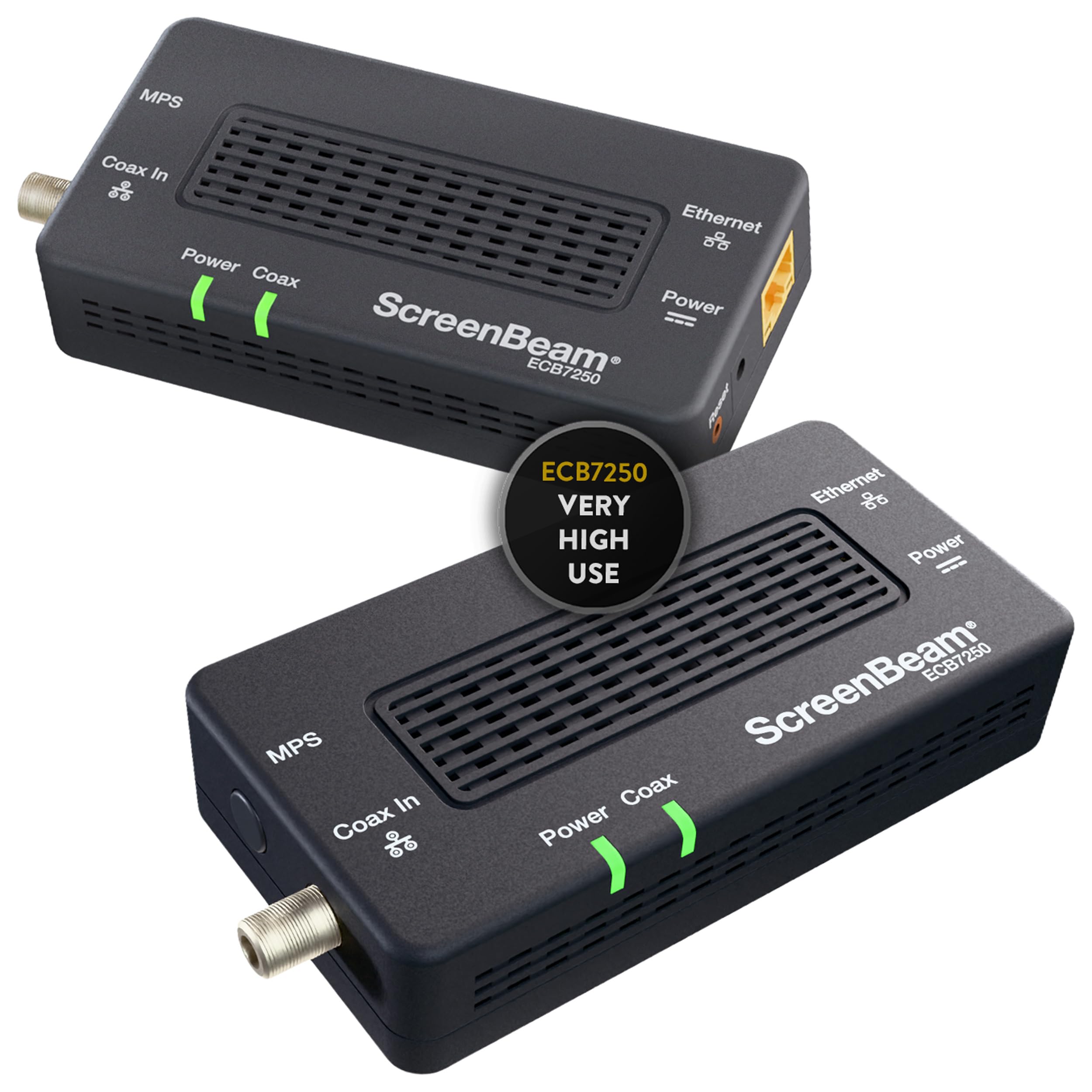
Features and Specifications
- Type: Ethernet over coax network adapter, MoCA starter kit
- Model: ECB7250K02
- Standard: Bonded MoCA 2.5
- Intended use: Streaming, gaming, and work-from-home networking
- Kit contents: Two network adapters for a point-to-point coax link
- Connection medium: Existing coaxial cable wiring
- Performance class: Very high use, marketed as the fastest in its line
The kit is built around the idea that most homes already have coax outlets in the rooms where internet is needed. Instead of drilling holes and fishing cable, the adapters reuse that wiring as a network path. The "bonded" part of the MoCA 2.5 standard matters because it combines multiple channels to push throughput higher than single-channel designs.
ScreenBeam positions this as the top of its coax adapter line, aimed at heavy use rather than occasional browsing. The two-adapter starter kit is the minimum for a working link: one unit sits near the router, the other at the device end.
Bonded MoCA 2.5: What the Standard Means for the Buyer
Bonded MoCA 2.5 is the headline feature, and it is the reason this kit carries a premium over basic coax adapters. Bonding uses more than one channel at once, which raises the ceiling on how much data the coax link can carry. For a buyer, that translates into headroom for multiple 4K streams, large game downloads, and video calls happening at the same time.
The practical benefit shows up in consistency rather than peak numbers. A wired coax link does not suffer the interference and congestion that plague Wi-Fi in dense neighborhoods. Buyers who have struggled with dropouts during calls or buffering during peak hours are the ones who gain the most from this approach.
The limitation is that the coax wiring has to be suitable. Splitters, old cable, and disconnected outlets can all degrade the link, and the kit cannot fix a wiring problem it inherits. Buyers in older homes should confirm that the coax runs they plan to use are intact and properly connected before committing.
Build, Setup, and Everyday Use
The adapters are compact boxes designed to sit out of the way near a router or a device. Setup follows a straightforward pattern: one adapter connects to the router by Ethernet and to a coax outlet, the second adapter connects to a coax outlet and to the target device by Ethernet. The kit is intended to work as a pair, so a single-adapter purchase does not deliver a link on its own.
Because the connection is wired at both ends, the devices attached to the adapters see a stable Ethernet link rather than a wireless one. That suits a gaming console, a desktop, a smart TV, or a work laptop that needs reliable throughput. Devices that only have Wi-Fi can still benefit if a wireless access point is attached at the far end, though that adds a piece of equipment the kit does not include.
The trade-off is that this is infrastructure, not a plug-and-play gadget. Buyers should expect to think about where the coax outlets are, whether they are live, and how the adapters will be powered at each end.
Trade-off: The kit only pays off if the home has usable coax wiring in the right rooms, so buyers in homes without live coax outlets get little from it.
Who the ScreenBeam ECB7250K02 Suits
The clearest fit is a household that already has coax in multiple rooms and a Wi-Fi network that cannot keep up. Streaming households with several TVs, gamers who want lower latency than wireless delivers, and remote workers who need a call-stable connection all fall into this group. The bonded MoCA 2.5 design gives them a wired backbone without a cabling project.
A second fit is the buyer who wants a wired connection in a room far from the router. Running Ethernet through a finished house is expensive and disruptive; reusing coax is not. The kit turns an existing outlet into a network port with two small boxes.
It is not for buyers in apartments or homes without coax, and it is not for anyone expecting a wireless solution. It is also a poor match for a buyer who needs only a single adapter, since the starter kit is built as a pair.
What Buyers Give Up
The price tier is the first consideration. This sits at the premium end of coax adapters, and the bonded standard is what justifies it. Buyers with modest needs, such as a single streamer or a light browser, can meet their requirements with a cheaper non-bonded adapter and will not notice the difference.
The second limitation is dependency on the home’s wiring. Coax that runs through old splitters or has been disconnected at the panel can undercut performance, and troubleshooting that falls to the buyer. The kit is also a two-box solution, which means two power outlets and two spots of shelf or floor space.
Finally, this is a niche product. MoCA is less familiar than Wi-Fi mesh or powerline, so buyers who want a system with app-based management and simple guidance may find the setup less hand-held than they expect.
FAQ
-
What is the ScreenBeam ECB7250K02?
It is a two-adapter starter kit that carries an Ethernet network signal over existing coaxial cable using the bonded MoCA 2.5 standard. -
Does the ScreenBeam ECB7250K02 need existing coax wiring?
Yes. The kit works by reusing coax cable already in the home, so live coax outlets at both ends of the link are required. -
Is bonded MoCA 2.5 better than regular MoCA?
Bonding uses multiple channels together, which raises the throughput ceiling. That matters for households running several high-bandwidth activities at once. -
Can the ScreenBeam ECB7250K02 replace Wi-Fi?
It replaces the need for Wi-Fi on the devices wired to it. Other devices still need a wireless network, which may require an access point at the far end. -
How many adapters come in the kit?
The starter kit includes two adapters, enough for one point-to-point coax link between the router and a device location. -
Is the ScreenBeam ECB7250K02 good for gaming?
A wired coax link avoids the interference and congestion of Wi-Fi, which is why gamers dealing with unstable wireless often consider this kind of kit. -
Does the kit work with a cable TV or internet service on the same coax?
MoCA is designed to share coax with other services, but buyers should confirm compatibility with their provider’s setup before relying on it. -
Who should skip the ScreenBeam ECB7250K02?
Buyers without usable coax, buyers who need only one adapter, and buyers with light networking needs that a cheaper adapter would cover. -
What is the main drawback of the ScreenBeam ECB7250K02?
Its performance depends on the quality and condition of the home’s coax wiring, and it costs more than non-bonded alternatives. -
Is the ScreenBeam ECB7250K02 worth it for work from home?
For a home office far from the router with live coax nearby, a stable wired link is a strong argument. Buyers without coax in that room should look elsewhere.
Bottom Line
The ScreenBeam ECB7250K02 is the pick for buyers who have coax wiring in place and want a fast, stable wired network without a cabling project. Bonded MoCA 2.5 gives it real headroom for streaming, gaming, and work-from-home traffic. Buyers without usable coax, or with light networking needs, should spend less on a simpler adapter or stay with Wi-Fi.
