Why there are Amazon links here: Brave Review is paid a commission for qualifying Amazon purchases made through the links below. Your price does not change, and using our links is entirely optional. How this works
Veno Plus vs Lockly Secure Pro: Palm Vein or Fingerprint Entry
The Veno Plus vs Lockly Secure Pro decision comes down to what a buyer wants the lock to do at the door. The Veno Plus is a camera-first lock: palm vein entry, a wide 2K view and built-in WiFi with no subscription. The Lockly Secure Pro is a keypad-and-handle lock built around fingerprint entry, app control and voice assistants. Buyers who want video at the door lean one way; buyers who want a familiar handle lock with smart-home ties lean the other.
Veno Plus Smart Lock with Camera
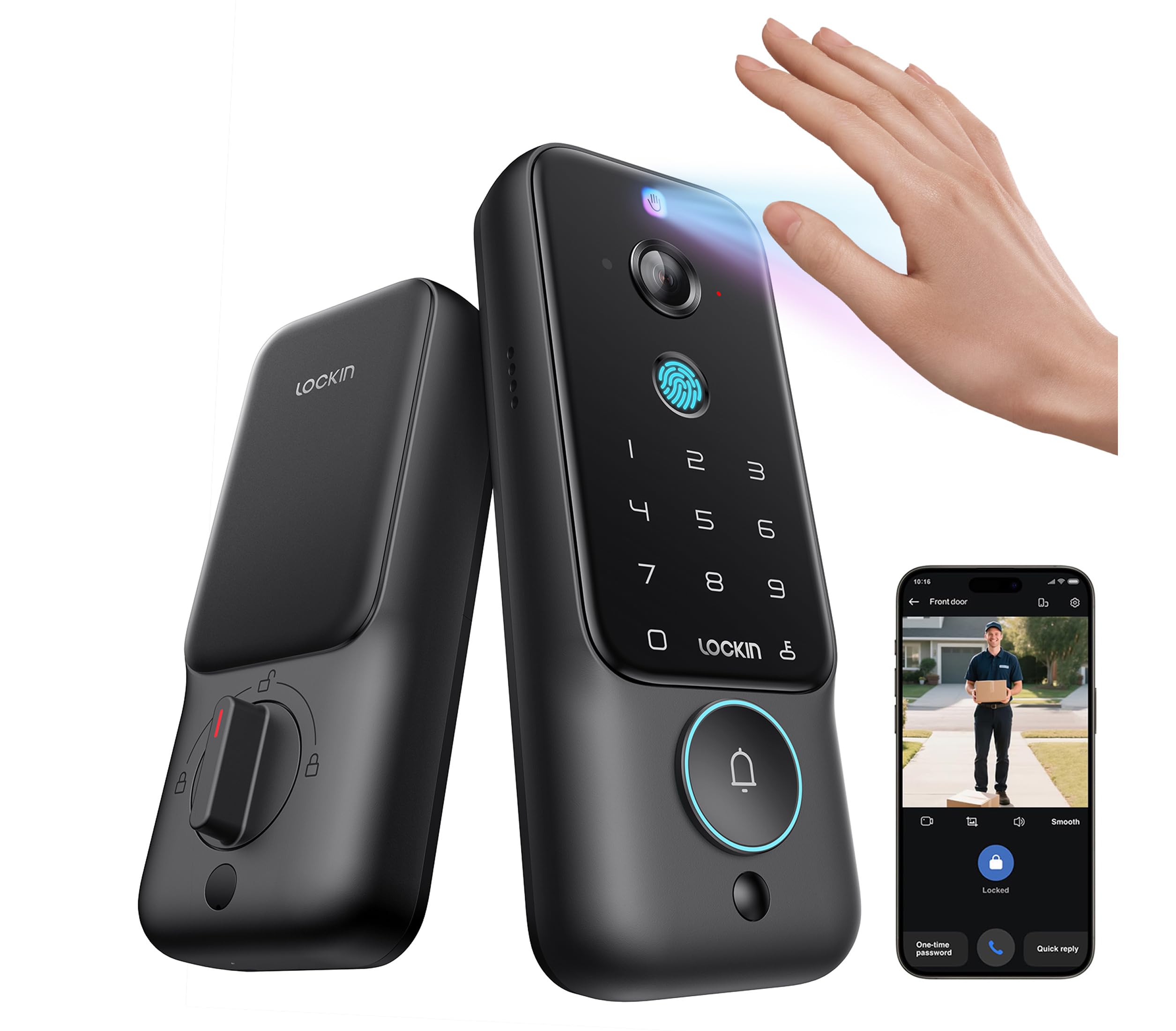
Entry Methods: Palm vein and fingerprint
Camera: 2K, 180° ultra-wide
Night Vision: Yes
Connectivity: Built-in WiFi
Storage: 8GB onboard
Monthly Fee: None
The Veno Plus is the more unusual lock of the two. Palm vein entry reads the veins under the skin rather than a fingerprint surface, which suits buyers who want a hands-free unlock and do not want to press a sensor with wet or dirty fingers. Fingerprint entry is included as a second option, so the lock is not dependent on a single method.
The camera side is where the Veno Plus separates itself. A 2K sensor with a 180° ultra-wide lens covers a wide slice of a porch or hallway, and night vision keeps that view usable after dark. Built-in WiFi means the lock talks to the network directly rather than through a separate bridge, and 8GB of onboard storage holds footage locally with no monthly fee attached.
Trade-off: A camera lock draws more power than a keypad-only lock, so buyers should expect to recharge or replace batteries more often than they would on a simpler unit.
Check the current price on Amazon
Lockly Secure Pro Wi-Fi Smart Lock with Handle
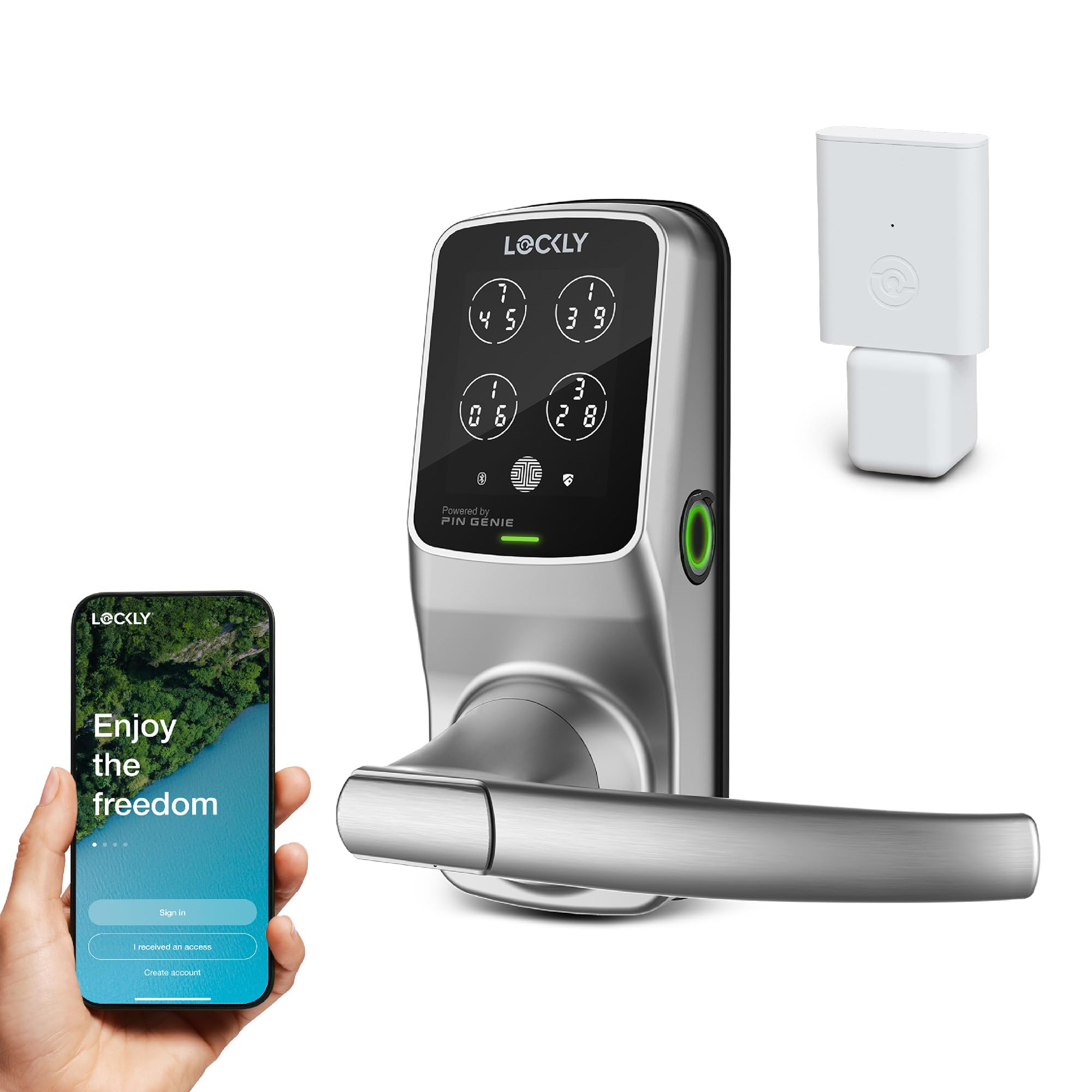
Entry Methods: Keypad and fingerprint
Remote Control: App-based
Voice Assistants: Alexa and Google
Auto Lock: Yes
Hardware: Includes handle
Connectivity: WiFi
The Lockly Secure Pro is the conventional choice, and that is a compliment. It pairs a keypad with a fingerprint reader and ships with a handle, so it replaces the whole door hardware rather than bolting onto an existing deadbolt. Buyers who want a lock that looks and feels like a normal handle set will find this the easier fit.
App remote control and support for Alexa and Google put the Lockly inside a connected home rather than beside it. Auto lock closes the door behind the household without anyone thinking about it, which is the feature most buyers actually notice day to day. The fingerprint reader handles fast entry for people who come and go with full hands.
Trade-off: This is a handle-and-keypad lock, not a camera, so there is no video of the doorstep and no package view — buyers who want to see who knocked need a separate doorbell camera.
Check the current price on Amazon
Veno Plus vs Lockly Secure Pro: Side-by-Side
| Feature | Veno Plus | Lockly Secure Pro |
|---|---|---|
| Primary entry | Palm vein | Keypad and fingerprint |
| Secondary entry | Fingerprint | Fingerprint |
| Camera | 2K, 180° ultra-wide | None |
| Night vision | Yes | Not applicable |
| Onboard storage | 8GB | None stated |
| WiFi | Built-in | Built-in |
| Monthly fee | None | None stated |
| App remote control | Not stated | Yes |
| Voice assistants | Not stated | Alexa and Google |
| Auto lock | Not stated | Yes |
| Door hardware | Lock unit | Includes handle |
| Price tier | Mid-range | Mid-range |
The Differences That Matter
The largest gap is video. The Veno Plus carries a 2K camera with a 180° ultra-wide lens and night vision, which turns the lock into a doorstep monitor as well as an entry point. The Lockly Secure Pro has no camera at all, so a buyer comparing the two on video is not really comparing — one has it and one does not.
Entry method is the second split. Palm vein is the more distinctive option: it reads beneath the skin, so the surface of the hand does not need to be clean or dry, and it works without contact. The Lockly relies on a keypad and a fingerprint reader, both of which are familiar and well understood but require a touch. Buyers who dislike pressing a sensor — or who have fingerprints that read poorly — have a real reason to prefer the Veno.
Storage and fees deserve a mention. The Veno Plus holds footage on 8GB of internal storage with no monthly fee, which keeps the ongoing cost at zero. The Lockly does not record video, so the question of a subscription does not arise for the camera, though buyers adding a separate doorbell camera will face that decision elsewhere.
Smart-home integration tilts toward the Lockly. App remote control plus Alexa and Google support means the lock can be checked, locked or unlocked from a phone or by voice. The Veno Plus is built around its own entry and camera functions rather than around third-party assistants, so buyers deep into a voice-controlled home will feel the difference.
Hardware is the last practical difference. The Lockly Secure Pro includes a handle, replacing the full door set in one go. The Veno Plus is a lock unit, so buyers should check that it matches the door’s existing preparation and finish before ordering.
Which Should You Buy?
Choose the Veno Plus if the doorstep needs eyes on it. A 2K wide camera, night vision, palm vein entry and local storage with no monthly fee make it the stronger pick for a front door where packages arrive, where the porch is dark, or where the household wants to know who approached without adding a separate doorbell.
Choose the Lockly Secure Pro if the priority is a complete, familiar handle lock that lives inside a smart home. Fingerprint and keypad entry, auto lock, app control and Alexa and Google support cover the everyday routine, and the included handle means one purchase finishes the job.
Buyers who want both video and voice control will end up buying a camera separately either way — the question is whether that camera is built into the lock or sits beside it.
FAQ
-
Is palm vein entry better than fingerprint entry?
Palm vein reads under the skin and needs no contact, so it works with wet, dry or worn hands. Fingerprint entry is faster to enroll and familiar to most households. Both are included on the Veno Plus; the Lockly Secure Pro offers fingerprint only. -
Does the Veno Plus need a subscription for video?
No. The lock stores footage on 8GB of internal storage, and the product is sold with no monthly fee. -
Can the Lockly Secure Pro show who is at the door?
No. It has no camera. A separate doorbell camera is needed for video. -
Does the Lockly Secure Pro work with Alexa and Google?
Yes. The lock supports both voice assistants and offers app remote control. -
Does the Veno Plus replace the door handle?
The Veno Plus is a lock unit rather than a full handle set. The Lockly Secure Pro ships with a handle and replaces the complete door hardware. -
Which lock suits a rental?
The Lockly Secure Pro is the simpler swap because it replaces the handle set as one unit. Renters should confirm with the landlord before changing door hardware either way. -
Which one is better for a dark porch?
The Veno Plus, because of its night vision and 180° ultra-wide 2K camera. The Lockly has no camera to see with.
Bottom Line
The Veno Plus wins on the dimension that separates these two most clearly: it puts a 2K wide-angle camera with night vision and local storage at the door, adds palm vein entry, and does it without a monthly fee. Buyers who want a handle lock with voice control instead should take the Lockly Secure Pro. For most front doors where visibility matters, the Veno Plus Smart Lock with Camera is the pick.
