Why there are Amazon links here: Brave Review is paid a commission for qualifying Amazon purchases made through the links below. Your price does not change, and using our links is entirely optional. How this works
Yale Keypad Touch vs Yale Approach: Which Yale Smart Lock Fits Your Door
The Yale Keypad Touch and the Yale Approach are two very different answers to the same question: how does a home go keyless without a locksmith and a full door rebuild? The Keypad Touch is a fingerprint-and-PIN accessory that only works alongside a Yale Smart Lock the buyer already owns or buys separately. The Approach is a complete retrofit deadbolt that bolts onto an existing deadbolt and connects over Wi-Fi on its own.
That single difference — accessory versus standalone lock — decides most of the choice. The short version: buyers starting from nothing want the Approach; buyers who already have a Yale Smart Lock want the Keypad Touch. The sections below break down the rest.
Yale Keypad Touch vs Yale Approach at a Glance
| Product | Key Spec | Best Use | Price Tier |
|---|---|---|---|
| Yale Keypad Touch | Fingerprint and PIN entry, requires a separate Yale Smart Lock | Adding biometric entry to an existing Yale Smart Lock | Budget accessory |
| Yale Approach | Wi-Fi retrofit deadbolt, unlimited virtual keys, app control | Going keyless on an existing deadbolt without a hub | Mid-range standalone |
Yale Keypad Touch
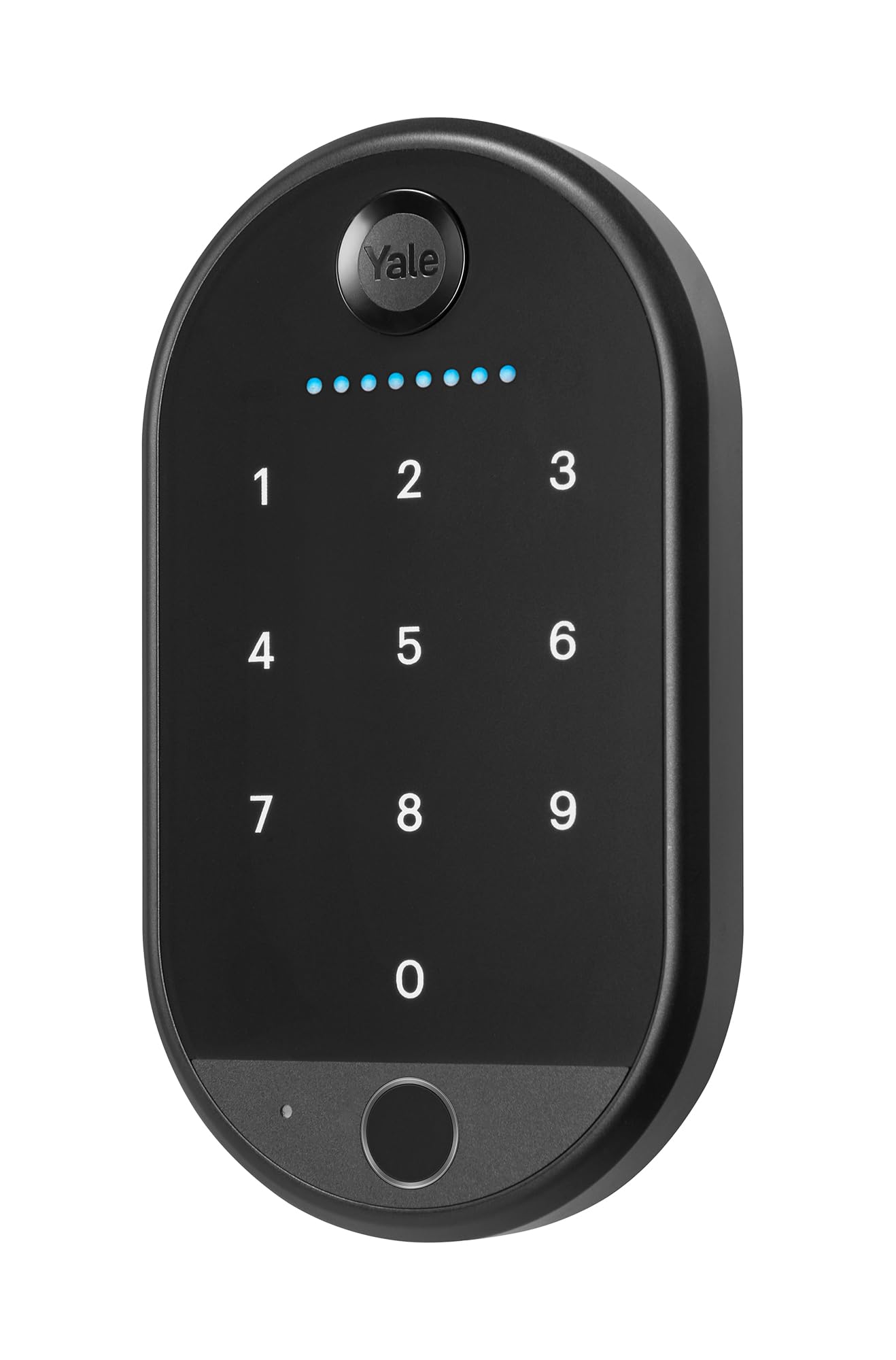
Type: Keypad and fingerprint access module
Mounting: Attaches to a compatible Yale Smart Lock
Entry Methods: Fingerprint, PIN code, keyless entry
Smart Lock Included: No — required Smart Lock sold separately
Compatibility: Yale Smart Lock ecosystem
Price Tier: Budget
The Keypad Touch is an add-on, and the product name says so plainly: it does not include the required Smart Lock. It puts a fingerprint reader and a PIN pad on the outside of a door that already has a compatible Yale Smart Lock behind it, so a finger or a code opens the door instead of a key or a phone. For a household that already bought into Yale’s smart lock line, this is the cheapest way to add biometric entry without replacing hardware.
The catch is that the purchase is incomplete on its own. A buyer with no existing Yale Smart Lock has to budget for that lock as well, which changes the math considerably and pushes the total past what a standalone retrofit costs. The fingerprint reader also lives outdoors on the door, where cold, wet or worn fingers can slow a read — a normal limitation of the category, not a fault unique to this unit.
Trade-off: The low sticker price is misleading for first-time buyers, because the lock it plugs into is not in the box.
Check the current price on Amazon
Yale Approach
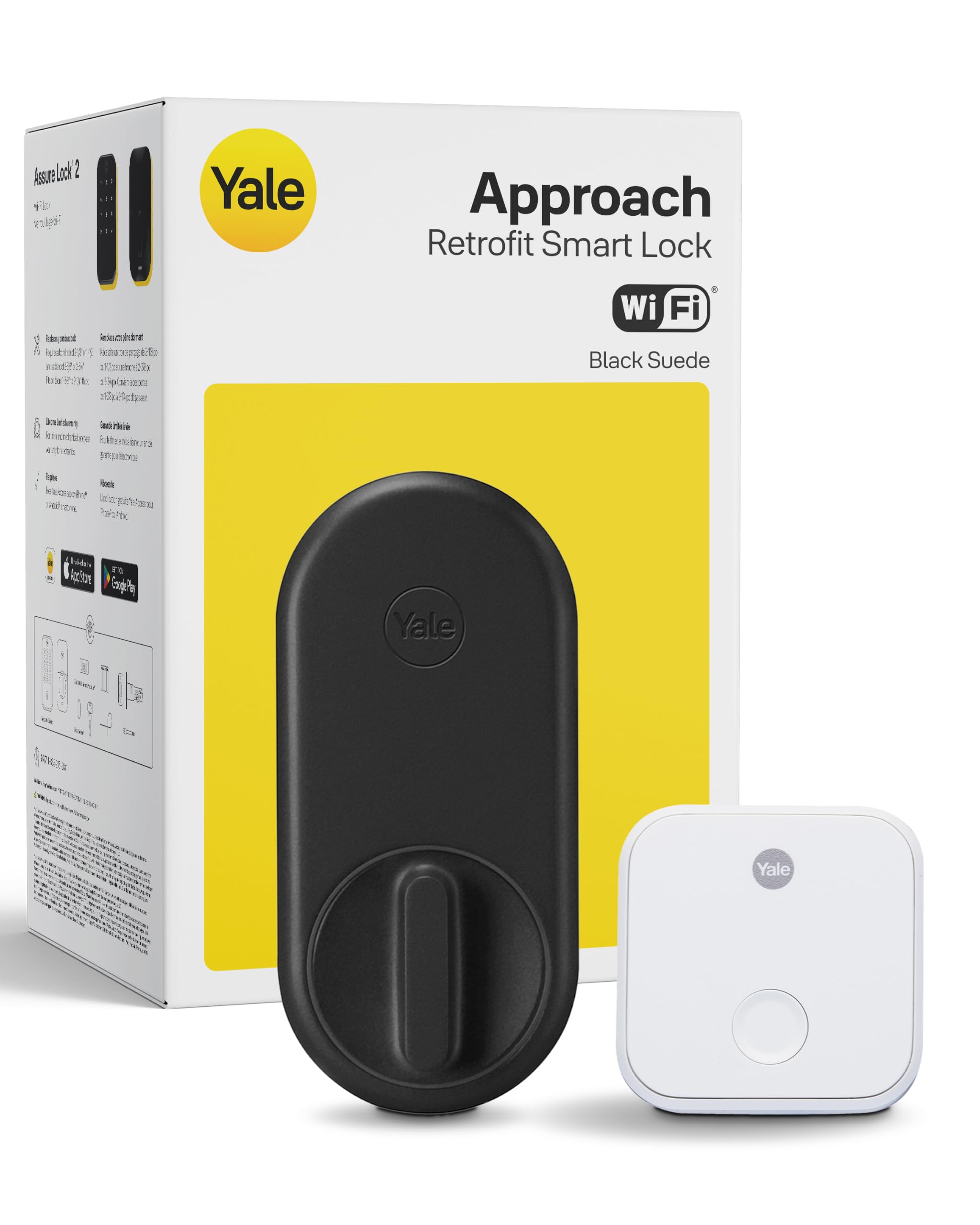
Type: Retrofit smart deadbolt
Connectivity: Wi-Fi, built in
Access: Unlimited virtual keys, app remote control, keyless entry
Installation: Fits over an existing deadbolt
Finish: Black
Price Tier: Mid-range
The Approach is the complete product. It retrofits onto the deadbolt already on the door rather than replacing the whole lock body, which keeps installation within reach of a renter or a cautious DIYer. Wi-Fi is built into the unit, so remote control through the app works without a separate bridge or hub — a real advantage over locks that need extra hardware to get online. Unlimited virtual keys mean the household is not capped on how many people, sitters or guests get their own access.
The trade-off sits in the name: retrofit. Because the Approach works with the existing deadbolt rather than replacing it, the final security depends partly on the quality of the hardware already on the door, and older or stiff deadbolts can make the motor work harder. Buyers with a worn lock should plan to service or replace the deadbolt itself, which adds cost and effort the sticker does not show.
Trade-off: It inherits the condition of the old deadbolt, so a worn latch turns a simple install into a bigger job.
Check the current price on Amazon
How the Two Locks Differ
The side-by-side table above carries the differences; what matters is what each row means in practice.
Completeness. This is the deciding dimension. The Approach is a working lock out of the box. The Keypad Touch is a working lock only after a compatible Yale Smart Lock is on the door, and that lock is a separate purchase. A buyer comparing sticker prices is not comparing like with like.
Connectivity. The Approach carries Wi-Fi internally, so app control and remote access work without extra hardware. The Keypad Touch leans on the Smart Lock it attaches to for whatever connectivity that lock provides, which means the network story depends on a product the buyer may not have yet.
Access method. The Keypad Touch adds a fingerprint reader, which is genuinely convenient for hands-full moments and for people who dislike codes. The Approach relies on the app, virtual keys and keyless entry rather than biometrics. Neither approach is better in the abstract; it depends on whether the household wants a finger on a sensor or a phone in a pocket.
Installation. The Approach goes over an existing deadbolt, which is the gentler job. The Keypad Touch attaches to a Smart Lock that must already be installed and working. In both cases the hard part — the deadbolt itself — is either already done or still ahead.
Ecosystem lock-in. Both products tie the buyer to Yale’s app and accessory line. Neither is a bad place to be, but a household already running another smart-home brand should check compatibility before committing to either.
Which Should You Buy?
Choose the Yale Keypad Touch if a compatible Yale Smart Lock is already on the door and the goal is fingerprint entry on a small budget. It is the cheaper upgrade in that exact situation, and it adds the one access method the existing lock lacks.
Choose the Yale Approach if the door has a standard deadbolt and no smart lock yet. It is the complete, self-contained answer: Wi-Fi inside the unit, virtual keys, app control, no hub to buy and no second lock to budget for.
Buyers who are unsure should price the Keypad Touch plus the required Smart Lock together before deciding. Once both are on the receipt, the Approach is usually the simpler and more predictable purchase.
FAQ
-
Does the Yale Keypad Touch work on its own? No. The product name states that the required Smart Lock is not included, so the Keypad Touch only functions once a compatible Yale Smart Lock is installed on the door.
-
Does the Yale Approach need a hub for Wi-Fi? No. Wi-Fi is built into the Approach itself, so app remote control works without a separate bridge.
-
Can the Yale Approach replace an existing deadbolt? It retrofits over the deadbolt already on the door rather than replacing the lock body, which keeps installation simpler but leaves the old hardware in the chain.
-
Which one is better for renters? The Approach is the friendlier rental pick, since it works with the existing deadbolt and does not require a second smart lock purchase.
-
Does the Keypad Touch add fingerprint entry to any smart lock? Only to a compatible Yale Smart Lock. It is an ecosystem accessory, not a universal add-on.
-
What does "unlimited virtual keys" mean on the Approach? The household is not capped on how many digital keys it issues through the app, so guests and family each get their own access.
-
Which lock suits a household that wants biometric entry? The Keypad Touch, provided a compatible Yale Smart Lock is already in place. The Approach does not offer fingerprint access.
Bottom Line
For most buyers starting fresh, the Yale Approach is the better purchase: it is a complete Wi-Fi retrofit lock with virtual keys and no hidden second purchase. The Yale Keypad Touch is the smarter buy only for households that already own a compatible Yale Smart Lock and want to add a fingerprint reader cheaply.
