Why there are Amazon links here: Brave Review is paid a commission for qualifying Amazon purchases made through the links below. Your price does not change, and using our links is entirely optional. How this works
Best Wi Fi Extender for Video Calls in a Home Office
A dropped video call costs more than a slow download. The picks below are chosen for steady throughput, low-latency placement options, and enough device capacity to keep a home office running while the rest of the household streams. Three buyer profiles are covered: the budget upgrader with an older router, the heavy user who wants the newest wireless standard, and the renter who needs a plug-in fix without new wiring. Skim the overview table first, then read the two or three entries that match the setup.
Overview of the Picks
| Product | Key Spec | Best Use | Price Tier |
|---|---|---|---|
| TP-Link AC1200 WiFi Extender (RE315) | Dual band, up to 1,600 sq ft, 32 devices | Budget fix for a single office room | Budget |
| 2026 WiFi Extender AX3000 | WiFi 6, up to 165+ devices | Crowded homes with many devices | Budget |
| NETGEAR Nighthawk WiFi 7 Extender EXS27 | WiFi 7, BE5000, 2.5G Ethernet | Premium pick for heavy video workloads | Premium |
| Amazon eero 6+ mesh wifi extender | Mesh node, up to 1,500 sq ft, 75+ devices | Homes already running eero | Mid-range |
| WiFi Extender Signal Booster 8470 Sq. Ft | Long-range coverage claim, repeater mode | Large open-plan spaces on a tight budget | Budget |
Best Overall for Most Home Offices: TP-Link AC1200 WiFi Extender (RE315)

Wireless Standard: Dual band 5GHz/2.4GHz
Rated Speed: 1.2Gbps
Coverage Claim: Up to 1,600 sq ft
Device Capacity: 32 devices
Ethernet: One port
Mesh: EasyMesh compatible
TP-Link AC1200 WiFi Extender (RE315)
The RE315 is the sensible default for a single home office that sits too far from the router. Dual-band operation lets a video call ride the cleaner 5GHz band while phones and smart plugs stay on 2.4GHz, and the single Ethernet port means a desktop can be wired straight into the extender for the most stable call quality available at this tier. EasyMesh compatibility matters if the router is also EasyMesh-capable, because the extender can then join one network name instead of creating a second SSID to manage.
This pick suits the buyer with a mid-range router, one office room to fix, and no appetite for configuration. It earns its place as the volume leader because it does the basic job without drama. The trade-off is capacity: 32 devices is generous for an apartment but thin in a household already running dozens of connected gadgets, and the extender has to sit roughly halfway between router and desk, which is not always where a power outlet exists.
Check the current price on Amazon
Best Budget Pick for Crowded Homes: 2026 WiFi Extender AX3000
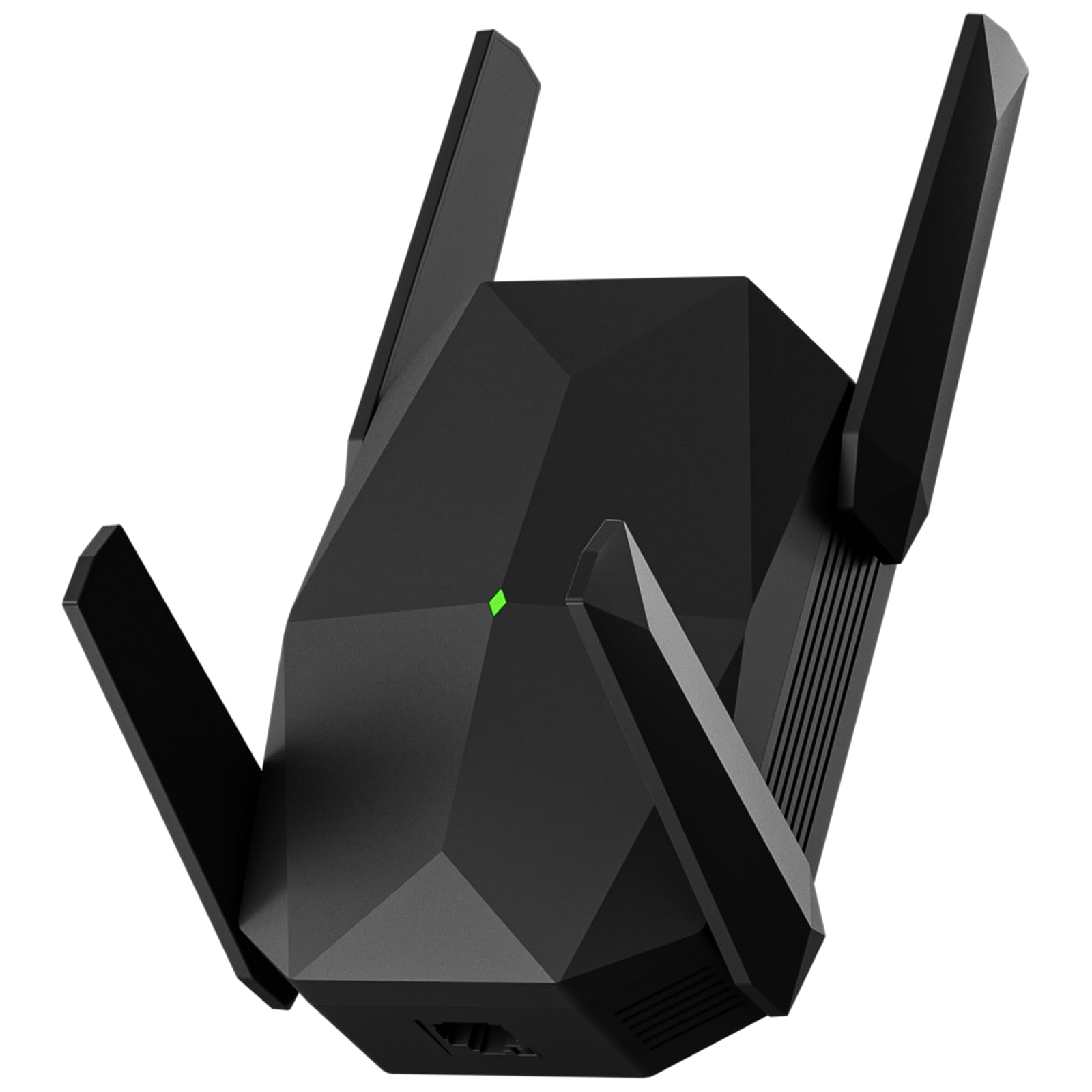
Wireless Standard: WiFi 6, AX3000
Bands: 5.8GHz/2.4GHz
Coverage Claim: Up to 21,099 sq ft (marketing claim)
Device Capacity: 165+ devices
Ethernet: One port
Color: Solid black
This unit leans on WiFi 6 and a very high device ceiling, which is the right combination for a home where the office shares airtime with game consoles, tablets and a stack of smart-home gear. WiFi 6 handles many simultaneous connections more gracefully than the older standard, so a video call is less likely to stutter when someone else starts a download. The Ethernet port gives a wired escape hatch for a laptop dock, and the black housing disappears against most desk setups.
It suits the buyer who wants modern wireless on a budget and has a router new enough to make WiFi 6 worthwhile. The caution is the coverage number: a figure in the tens of thousands of square feet describes an open-field test, not a house with walls, and treating it as a promise leads to disappointment. Placement still decides the result, and buyers with an older router get little from the WiFi 6 radio.
Check the current price on Amazon
Best Premium Pick for Heavy Video Workloads: NETGEAR Nighthawk WiFi 7 Extender EXS27
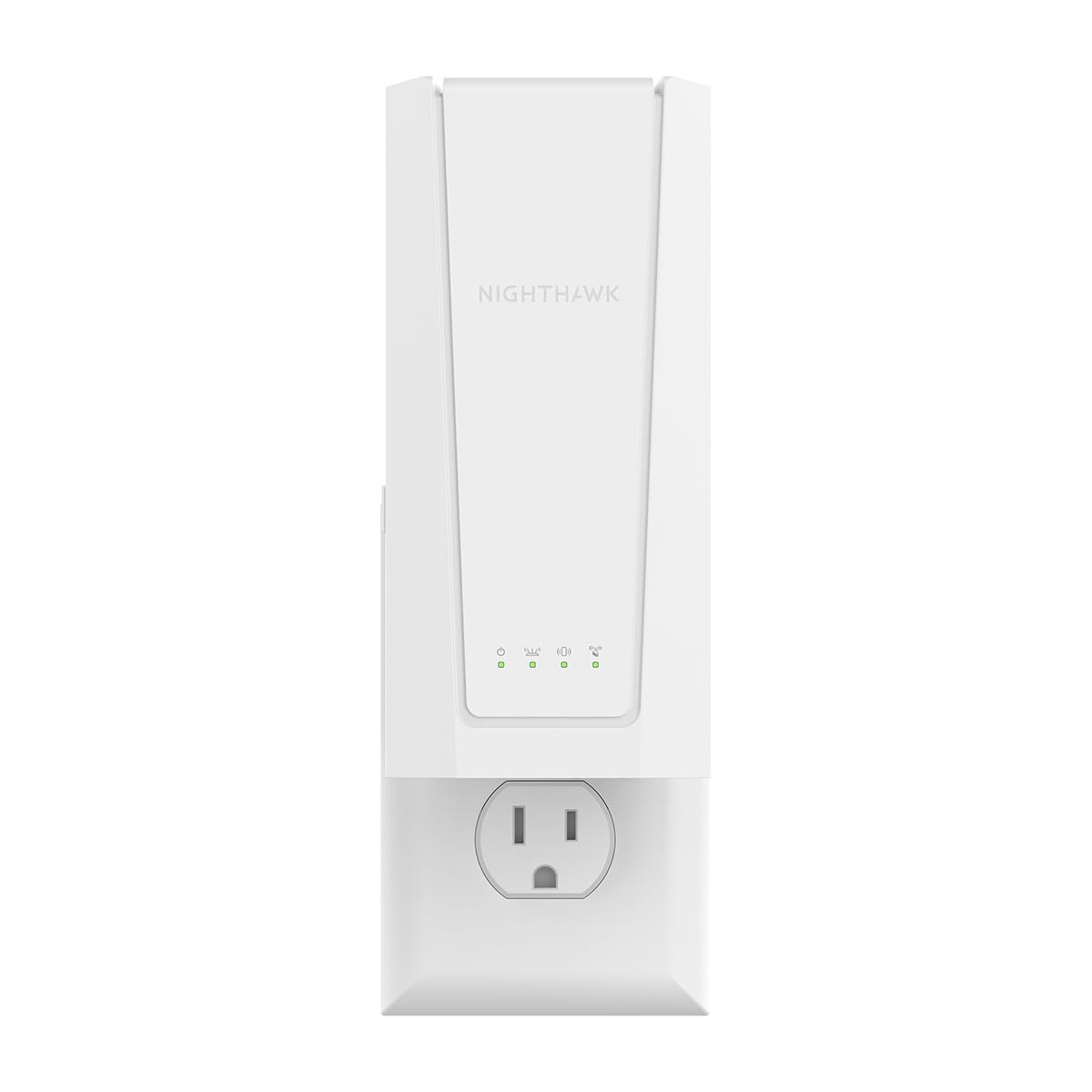
Wireless Standard: WiFi 7, BE5000
Rated Speed: Up to 5 Gbps
Coverage Claim: Up to 1,500 sq ft
Device Capacity: 45 devices
Ethernet: 2.5G port
Compatibility: Works with any router
NETGEAR Nighthawk WiFi 7 Extender EXS27
The EXS27 is the pick for a home office that treats video as production work: client calls, screen sharing, uploads running in the background. WiFi 7 adds wider channels and better handling of overlapping traffic, and the 2.5G Ethernet port keeps a wired desktop from becoming the bottleneck when the broadband connection is fast. Setup is described as straightforward, and the extender works with any router rather than locking the buyer into one brand.
It suits the buyer with a fast internet plan, a WiFi 7 or recent WiFi 6 router, and a willingness to pay for headroom. The trade-off is that most of that capability sits unused until the router and the internet plan both catch up, so a buyer on an older router pays a premium for a standard the network cannot feed.
Check the current price on Amazon
Best for Homes Already on eero: Amazon eero 6+ mesh wifi extender
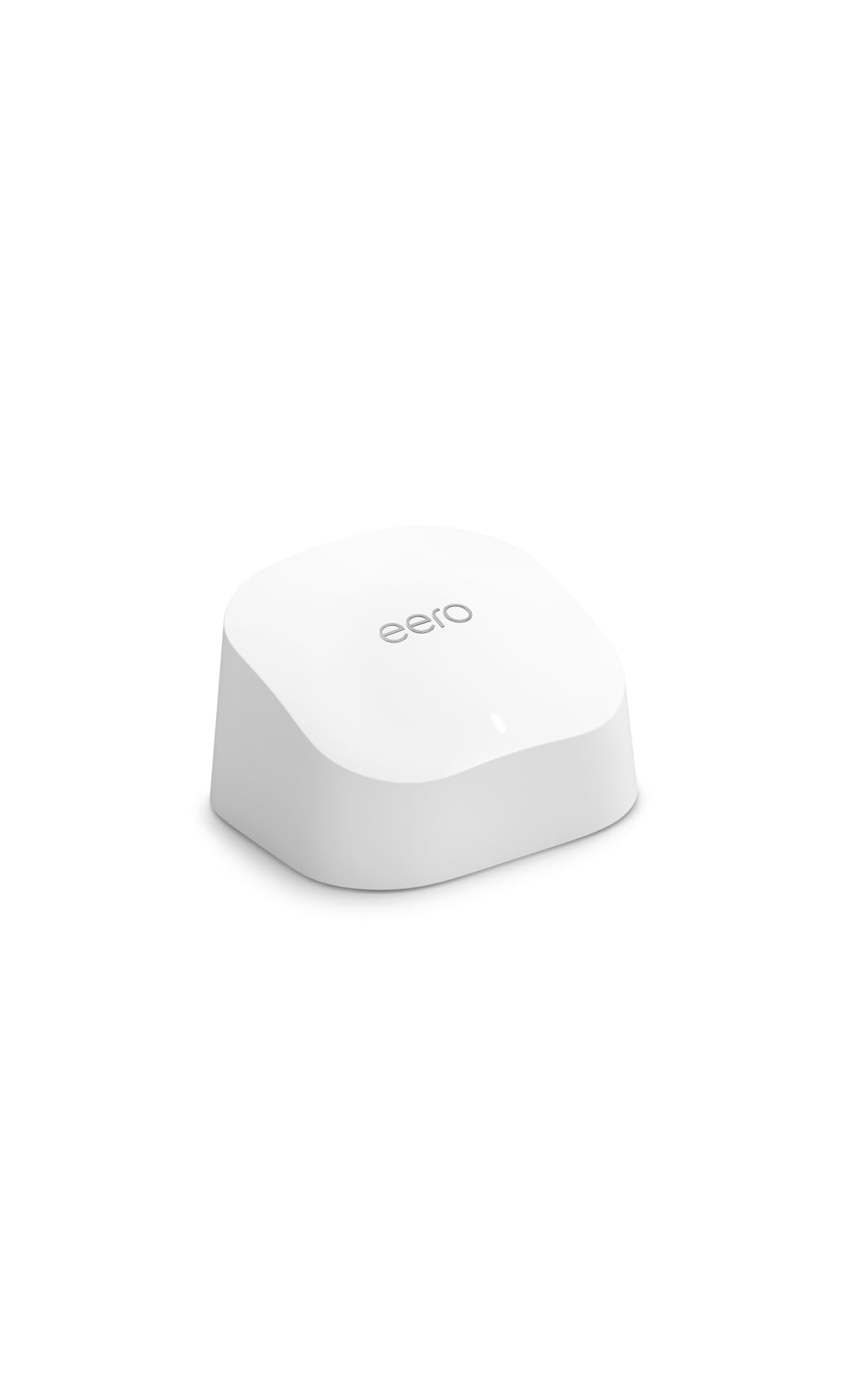
Type: Mesh wifi extender (node)
Coverage Added: Up to 1,500 sq ft
Device Capacity: 75+ devices
Pack Size: 1-pack
Requirement: Existing eero mesh wifi system (not included)
Amazon eero 6+ mesh wifi extender
This is not a universal extender, and that is the point. It is an additional node for an existing eero mesh system, which means it extends one network name with proper roaming instead of creating a second SSID that a laptop clings to after the owner walks into another room. Seamless handoff is exactly what video calls need, because a call that hops between nodes mid-meeting is a call that freezes. The 75+ device figure covers a busy household comfortably.
It suits the buyer who already runs eero and simply needs the office covered. Anyone without an eero system should skip it entirely, since the required base system is not in the box. The trade-off is that lock-in: this node only makes sense inside one ecosystem, and the price buys coverage rather than raw speed.
Check the current price on Amazon
Best for Long-Range Coverage Claims on a Budget: WiFi Extender Signal Booster 8470 Sq. Ft

Type: WiFi extender / internet repeater
Coverage Claim: Up to 8,470 sq ft
Intended Use: Whole-home coverage
Price: Discounted with coupon
WiFi Extender Signal Booster 8470 Sq. Ft
This repeater is aimed at buyers who want the widest possible coverage claim for the least money, and the coupon pricing makes it the cheapest entry on the list. Repeater mode is simple to reason about: it catches the existing signal and rebroadcasts it, so a room that had one bar gets a usable connection. For a home office in an open-plan house or a converted garage, that can be enough to hold a call.
It suits the budget buyer covering a large, lightly obstructed space who accepts the limits of repeater technology. The trade-off is that rebroadcast halves throughput on the same radio, so this is a coverage fix rather than a speed fix, and a buyer who needs crisp two-way video should place it carefully and expect less headroom than a mesh node provides.
Check the current price on Amazon
Before You Buy
- Compatibility: A mesh node only works with its own system; a universal extender works with any router. Confirm which one the office needs before ordering.
- Wireless standard: An extender cannot exceed the router’s standard. WiFi 7 hardware on a WiFi 5 router delivers WiFi 5 results.
- Placement: Extenders belong roughly midway between router and desk, in open air, not behind a monitor or inside a cabinet.
- Wired fallback: A model with an Ethernet port lets a desktop bypass WiFi entirely, which is the single biggest stability gain available.
- Device capacity: Count phones, laptops, TVs, speakers and smart plugs. A 32-device ceiling fills faster than expected.
- Coverage claims: Square-footage figures assume open space. Walls, floors and appliances cut real-world range substantially.
- Throughput trade-off: Repeater-style extenders halve bandwidth; mesh systems and wired backhaul preserve more of it.
Frequently Asked Questions
-
Will an extender fix lag on video calls?
It fixes the cause that comes from a weak signal. If the call drops because the office is far from the router, a well-placed extender helps; if the broadband itself is slow, it will not. -
Does a WiFi 7 extender make an older router faster?
No. The extender matches what the router sends. WiFi 7 hardware only pays off once the router and internet plan support it. -
Where should the extender go in a home office?
Halfway between the router and the desk, with clear line of sight where possible. Placing it in the dead room itself simply rebroadcasts a weak signal. -
Is a mesh node better than a plain extender for calls?
Usually, because one network name allows seamless handoff. The catch is that a mesh node requires the matching base system. -
Can a wired connection from the extender help?
Yes. A desktop plugged into the extender’s Ethernet port avoids WiFi contention entirely and gives the most consistent call quality. -
How many devices can one extender handle?
It varies by model, from around 32 to 165+. Households with many smart devices should lean toward the higher figures.
Bottom Line
For most home offices, the TP-Link AC1200 WiFi Extender (RE315) is the pick that solves the problem with the least fuss: dual band for cleaner calls, an Ethernet port for a wired desktop, and EasyMesh support if the router can use it. Buyers already inside the eero ecosystem should take the eero 6+ node instead, and anyone with a fast plan and heavy video work should look at the NETGEAR Nighthawk EXS27. Whichever fits, confirm the current price before ordering.